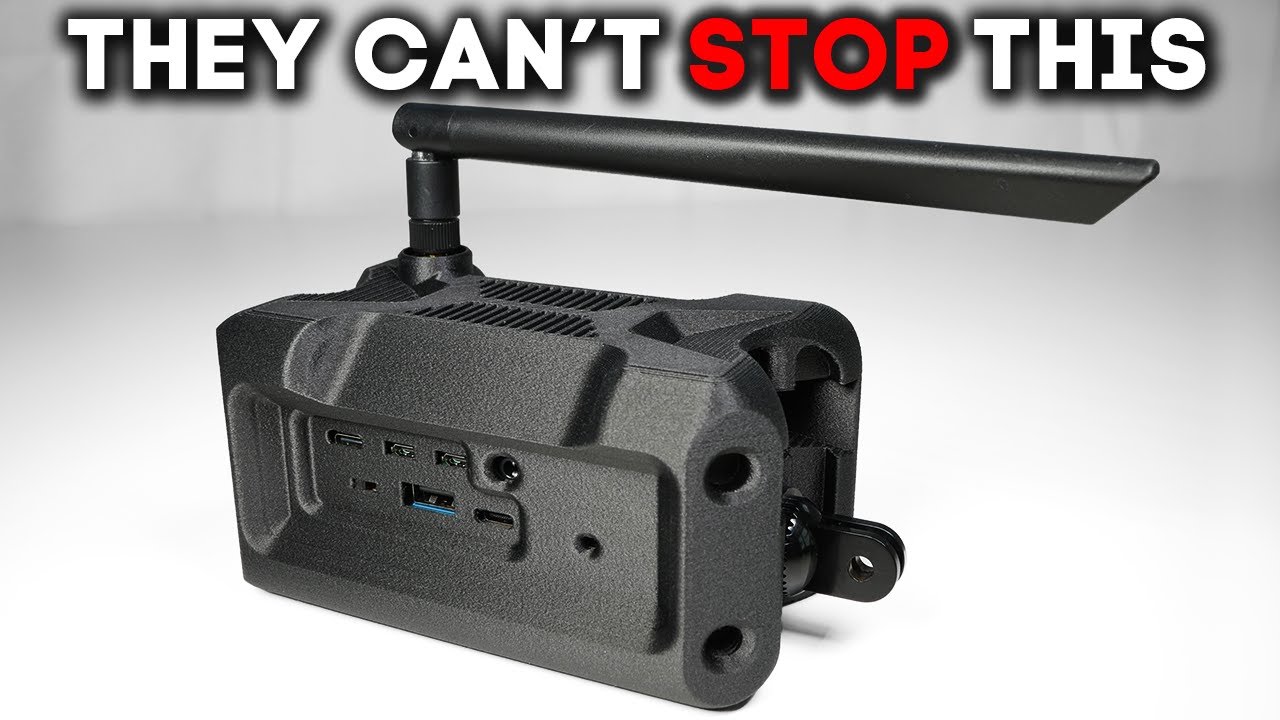
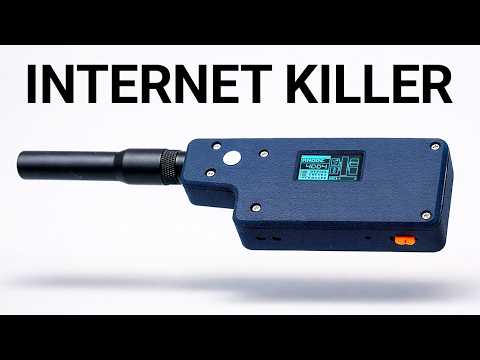
I just reverse engineered a $20,000 military IP mesh radio using open-source parts totaling only $1623. Sure, the government has been known to overpay for things, but I could build about 200 of these for the price of a single unit of theirs. And last week, I posted about this on Reddit. And a few days later, the US military contacted me. Fortunately, not to shut me down, but just looking for advice, which I got to say felt pretty good. — The true power of ATAC is being able to get situational awareness in the palm of your hand. Usually that was reserved to kind of your talks, right? Your tactical operation centers where commanders and planners could see the big picture. But when you enable uh war fighter which is something I think that the current army uh and military marines air force I mean they're they are trying to get there but they're just also kind of uh because of the own their own procurement processes they're going about in a very slow manner like and you got to test and everybody has an opinion about some piece of kit right so it's very challenging in that aspect but the way special operations used it and now you can go onto a target and then you can see where everybody's at you coordinate fires. Hell, there's some, you know, apps in there where you can uh send through either link 16 or saddle straight to a fast mover to drop a bomb on target. You know, we used it in other ways such as, you know, um helicopter, you know, interdictions. You know, the blood hound tool is very, very useful. We know how long it would take us to get somewhere. We would be able to pull the metadata off of video feeds that we know exactly where that vehicle was and it would cut that time down. Um, you know, we also used it for, you know, what we call mad minutes where we had to shift target. We had to come up with a plan really quickly. Usually it was, you know, a bunch of guys huddled up against a hilo and uh coming up with a hasty plan. This it was we could do it all from our phone. We can watch the video right in the palm of our hand. So, you know, when you network a tag, it becomes extremely more powerful. But what did I just build and what exactly does it enable? And why is it ruffling so many feathers? Freedom Tech is finally catching up. I'm talking about decentralized open-source tools that you actually own, built by companies that encourage tinkering instead of suing you for it. That's something I can get behind. It's that southern engineering grit I admire. making gear tougher, smarter, and more useful by pushing it past the limits and being able to sideloadad, extend, and overclock my tech to do things nobody thought is possible. That's exactly what this channel is all about. This device creates a private portable IP network, but let's see how far it can go and what bandwidth it can support. I'm heading into a signal dead zone and I'm bringing nothing but a Starlink and two Wi-Fi halo nodes. Can I create a fully functional long range wireless internet network from scratch and actually use it for real world practical uses like chat messages, GPS coordination, pushto talk, ATAC, video streaming, and internet connections. This feels like reliving the glory days of walkie-talkies as a kid, except now it's upgraded to the latest Wi-Fi standards. We're talking 802. 11s mesh and 802. 11 ah Halo. So instead of just goofing around in the backyard, you're running a legit long range encrypted internet network. And the DoD may or may not want a word with you. If this doesn't work, I may have wasted a lot of time and a lot of money. But if it does work, this changes everything. But before breaking into it, just what the heck is this thing? Okay, let's keep this dead simple. It's a mainet, which stands for mobile ad hoc network. It sounds complicated, but all it means is it's a self-contained portable node that links up with others just like it. Each one of these nodes is built around a small computer, usually a Raspberry Pi, running an open- source router software called OpenWRT. That's the brains. On board, you still get traditional Wi-Fi, dualband 2. 4 four and 5 GHz, which gives you a couple hundred feet of coverage, which is fine if you're in the same cabin or campsite, but it's not enough if you need to reach miles down the trail. That's where Halo comes in. When short-range Wi-Fi can't reach, Halo links your nodes to other nodes, and with clear line of sight, it can stretch several miles. That's the backbone that ties the whole mesh together. And here's the part most people miss. Once you have your radio, you don't really need special gear to use it. You just connect your phone over Wi-Fi the same way you'd connect on an airplane network. No SIM cards, no carrier, no big tech permission slip. And once you're in, you can run apps like ATAC, which automatically discovers other nodes, pushto talk radios, chat
Segment 2 (05:00 - 10:00)
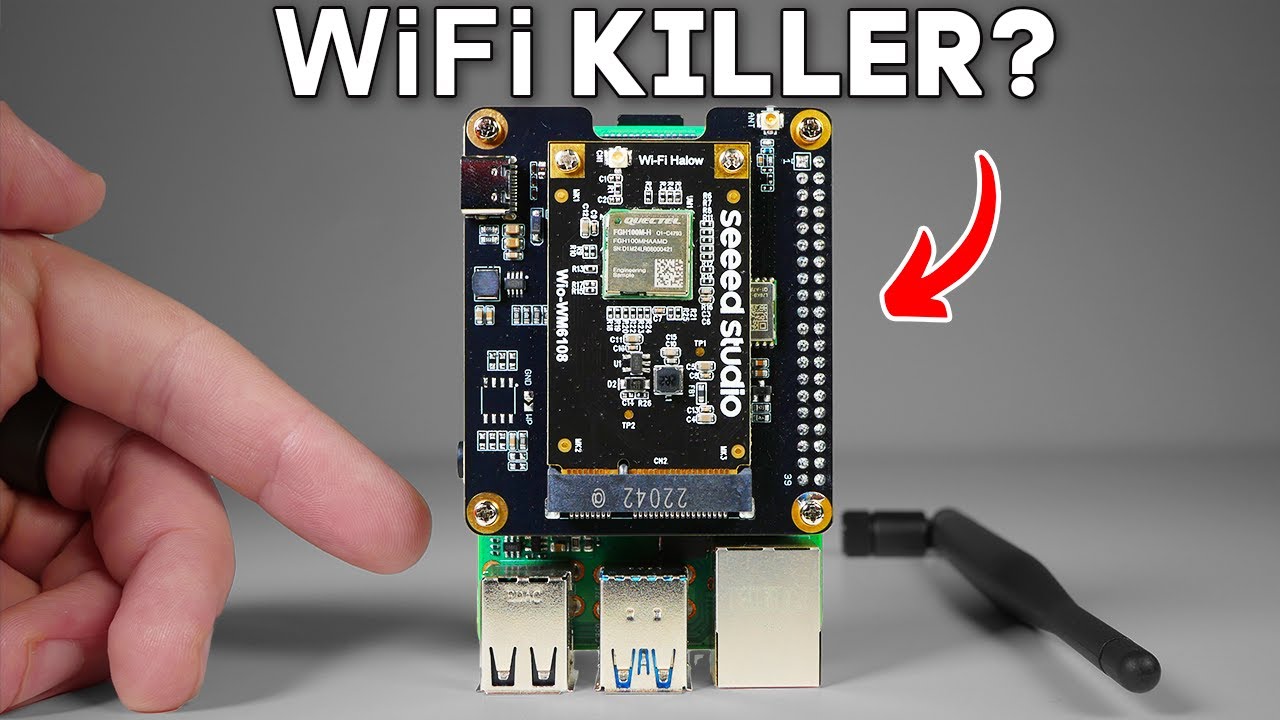
relays, and if one node has an uplink, say Starlink, literally any other internet app can be used. And because these nodes run on 802. 11s mesh, every node that joins strengthens and extends the network. Add more nodes and the coverage grows. Picture a convoy of trucks on an off-road trail, each carrying a node. Now the whole team has comms, live positioning, even internet with no towers, no ISP, and no monthly bill. That's a mainet. Everything I'm showing here, gear setup, config, it's all in a field manual I put together linked below. I'm calling it the Haven IP Mesh Radio. It's an open- source alternative to radios like the MPU5, except instead of $20,000 and a procurement officer. You just need a Raspberry Pi and some grit. Now, I've had this guide live for about a week and people are already building with it. But starting today, for the next 30 orders, I'm including a bonus 30 minute one-on-one call with me to go over your setup, answer questions, or just talk shop. I'm capping this at 30 because I literally can't take more calls without melting my calendar. So, if you're watching this and the link's still active, jump in. And super quick, if you like the tech but don't want to build it out yourself, um Trey over at Muro's X is um building these to order. These are IP mesh radios, very similar to what we're talking about here, and he's super knowledgeable, and the design is I mean, you just can't beat this design. It's incredible. So, now that we've got our two nodes set up, we're going to want to see what kind of data rate and bandwidth we can get. So, Halo supports different channel widths, very similar to spreading factor with Meshtastic, which you can choose right in the OpenWRT UI. All right, so I do want to run you through the anatomy of this thing pretty quickly here. So, it's pretty kind of modular in the sense that like any component of this you could probably swap out for something else, but I'll run you through what I have here. So, um the motherboard here is a Raspberry Pi 4. We use the four, not the five, because some of the OpenWRT firmware uh doesn't quite work on the five yet. As soon as it does, we'll start using the five cuz the five is uh more powerful, frankly. Um, and then we have a hat for a mini PCIe card. And the PCIe card or the mini PCIe card that we want to use here is what introduces the Halo chip. This thing's not expensive. It's about 15 bucks for the card there and then it's maybe like 20 bucks for the hat. And so um and so we add that on uh to the Raspberry Pi. You can use any sort of uh antenna um that is sub gigahertz. Right now I'm just playing around with this big fancy antenna, but frankly um you can get away with uh you know antennas like this. You can get away with whip antennas. any of your meshtastic antennas will work because they're in the same range. Um, and then it just uses an SMA to U. FL connector here. So, you can really do that however you want. And then for power, just to make it mobile, I'm using this uh wave share hat that actually relies on uh pogo pins. You can see them right there. So, you just put it on top and um and then you put these batteries in. And these are 21700s. Each one is 5,000 milliampers. So total of 10,000 milliampers capacity, which is uh it's pretty solid actually. And um you really don't have to move this around. If you want to charge it, you just plug in the USBC. Um but then you have your kind of self-contained unit here. And then the only other component uh this is a Wi-Fi dongle. Um this brings 2. 4 four and 5 GHz Wi-Fi to the setup. Um, technically the Raspberry Pi can support that on board, but it can't do Halo with that, unfortunately. Um, so as kind of an intermediary solution, we could use something like this. In the future, I want to use a proper hat uh with a real uh Wi-Fi chip. Like this is an Intel chip. Um, and you could put like real uh 2. 4 four and 5 GHz antennas and it could be a lot cleaner of a setup. Um, frankly, it's such early days that we don't even I don't even have like a proper um case for this. The individual who's working on open mainet is uh working on a 3D printing design case. So, we could use that or you can kind of just get creative with what you want. But that's the basic setup of this thing. So, we're not talking uh a whole lot of money to get this thing up and
Segment 3 (10:00 - 15:00)
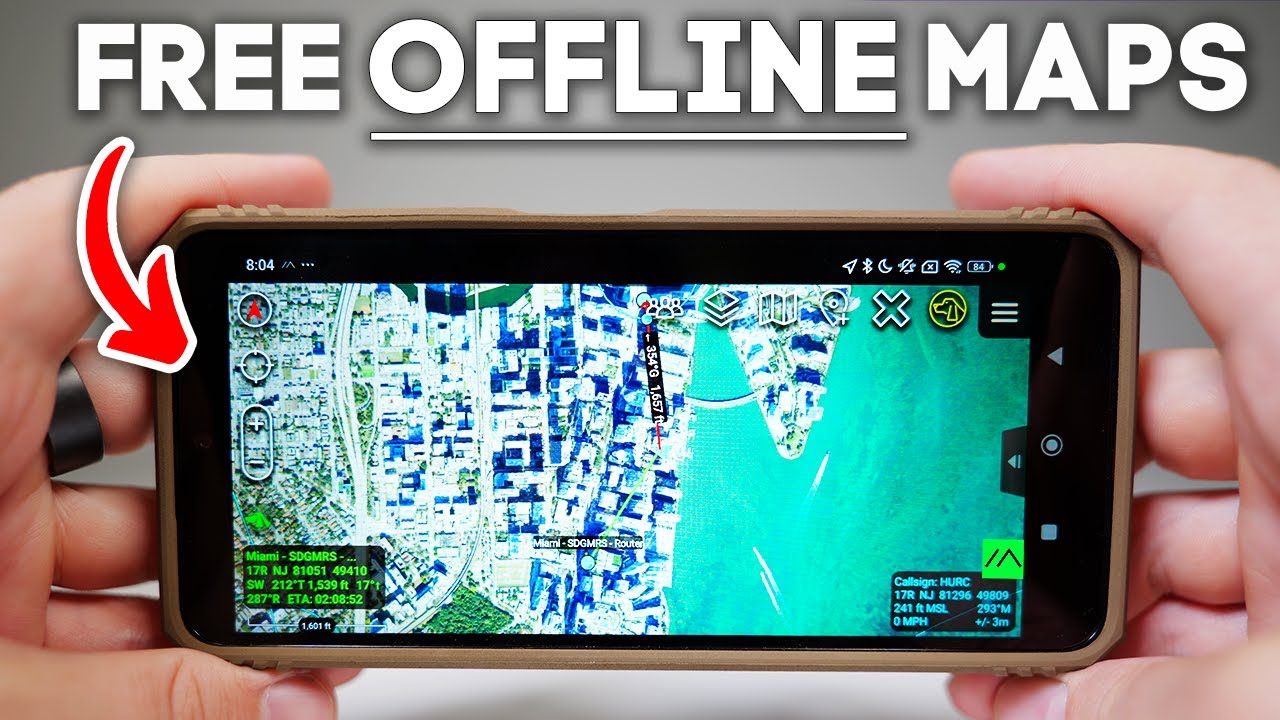
running. So, I'm actually getting Wi-Fi out here. Um, but it's not coming across the standard uh Wi-Fi connection. It's coming across um Ethernet and it's coming across the 915 MHz antenna. You can see it's pretty slow. Um, but it is loading and really we just wanted to do some tests. So, we'll run those tests. Okay, so I'm watching one of my own YouTube videos and I'm doing it by way of this 915 MHz sub gigahertz antenna that is uh connected to a Halo chip on a Raspberry Pi and then going into my laptop over Ethernet. But what's interesting is the um the router that this is connecting to is actually way up there. Um and it's able to pass uh my home uh wireless uh connection to this device because it's using the Halo antenna with a 1 MHz um channel width, which means it can go super far. Here's what I achieved with my performance tests. At 8 MHz, I measured about 15 megabits per second, both up and down, which is right on the theoretical ceiling for Wi-Fi Halo at that channel width. At 4 MHz, throughput landed at 7. 3 megabits, again, matching the expected max. At 2 MHz, I actually clocked 4. 4 4 megabits, just a hair above textbook 3. 9, well within margin for how I perf reports traffic. And at the narrowest 1 MHz channel, I got 1. 8 megabits, which lines up almost exactly with the 1. 95 megabits theoretical limit. Out of the box, these Halo radios ship at about 21 dBm. That's roughly 125 m. Pretty modest, not much more than a home router. But with the open mainet firmware, which is the open- source package that this is based on, that ceiling gets raised to 27 dBm, which is around 500 m. That's almost four times the wattage, which makes a huge difference in link stability and range. And just for context, the legal limit for unlicensed 900 MHz gear in the US is 30 dBm, which is the equivalent of one full watt. That's the absolute max you can transmit without a special license. So, at 27 dBm, we're sitting right near the top of what's possible for a civilian build, just shy of the legal ceiling. You get the benefits of serious range and resilience while staying inside the regulatory box. Now, one quick mythbuster. Bandwidth isn't set by the antenna. It's set by the modulation and channel width in the radio, but the antenna does matter for range. A higher gain antenna can focus the signal, letting you hold a link further out or punch through interference. So, swapping antennas won't make your network faster, but it can make it go a whole lot farther. And OpenWRT gives you a full suite of diagnostic throughput testing, range tests, and live packet stats. So, the takeaway is simple. In real world conditions, my test basically hit the ceiling of what 802. 11H can do. Wide channels gives you max bandwidth. Narrow channels stretch your range. So now what can we do with this? That's where it gets interesting. The most obvious application that comes to mind is ATAC which is Android tactical awareness kit which is used by the military and domestic search and rescue teams for operatives which require several team members staying connected in highly dynamic situations. Now, there's a number of different ways to leverage ATAC, but with this setup, I was able to get the devices connected from mainet one to mainet 2 without using any sort of fancy TAC servers. There was a little bit of uh finessing on the network layer. And if you're trying to get that working, just don't think you're not going to learn about subnetting in the process. But I can provide some of those details in my guide. And I was able to send ATAC messages from a device connected to mainet one over Halo to 2. I was also able to do a couple other fancy things like drop images onto the map and share those between nodes. And I was able to do that using something called multiccasting, which is essentially making use of the Wi-Fi network to send those communications. But there was no sort of centralized remote or even local tax server. So, it sends it directly
Segment 4 (15:00 - 20:00)
from device to device by IP address on the network. And I got to say, I really like that setup because everything is confined within your private network and you're able to push communications to each other, track nodes on a map, and have those sort of off-grid comms that you usually only normally get with a satellite connection. But what about voice and pushto talk? So, I actually set up mumble on both of the devices, and I didn't go too crazy with it. I used a remote Mumble server, but I was easily able to push voice from node to node using one of those public servers. Now, you would never actually want to do that. You would want to set up a Mumble server on one of your Raspberry Pies, but that should be easy enough. And the latency was pretty low and the quality was pretty high. — DSU. Um, but anyways, this is push to talk. It works just fine. It's using one of the uplinks uh connecting to a remote server on the web, but this signal is still going from mainet node number one to mainet node number two. And they are only connected by Wi-Fi Halo. So, you could go long range with it. And you can see the clarity and the latency is more than adequate. Next is video feeds. So, I didn't go too crazy with it, but again, I was able to set up a video stream from a device that was also on the network, which is uh this cow here. This was actually also using Halo. You don't necessarily have to use Halo. You could use something like IP cameras or you could set up a stream on a laptop or a drone or something like that. But as long as it's using a standard either UDP, RTSP, HTTP, one of those um live video streams uh in a standard protocol, you can pull it up on your ATAC device provided it's on the same network. Okay. And then the big test was going to a remote off-grid area. So I went down to Cranon Park, which is basically a key off of Miami. Now, I had both of my main nets, but I also had something else, an uplink. So, I just purchased a Dishy, which is a standard Starlink, and I plugged that into node number one, which means that my whole network had internet. But just how far could I push it? So, I took node number two out for a stroll, and we just kept going, periodically checking the connection. Okay, so now we're trying to get uh the Halo mainet plugged into the Starlink router, and this will be node number one. So, we have the uh the Halo chip with the Halo antenna, which is going up here. Um, and it's using the Starlink Wi-Fi router. So, that should just bring Halo to this Starlink network here. All right, so we're trying to get Starlink online here. Looks like it might work. I had to use a uh life P4 battery with a special uh I don't know, sort of like regulator of some type. And then the Starlink itself is right up here cuz I'm not using a Starlink Mini. I'm actually using the standard one because it gets better throughput. Um but it's a little bit harder to power. Um but I think this is going to work. Um, it looks like the app is still thinking about it right now. Determining alignment adjustment may be necessary. So, looks like it might work though. So, we'll see. Okay, so it says we're online. So, that actually wasn't too painful. Um, let's see real quick what we're getting in the way speed tests, right? So, let's go run one of these. All right, so not too bad. That'll take it. So, 22 down, three up, but it looks like the uh software is still updating. So, we'll see if uh perhaps that gets improved. Okay, I'm going to give you a little rundown of everything we have going on here. So, this is going to be a test of our main net. So, mobile ad hoc network node number one, two, primarily talking over Wi-Fi halo, but I also wanted to bring an uplink to the party. So, let me go ahead and show you what we have in terms of the configuration here. So, down here you're going to see um so down here uh you see the Raspberry Pi. This is our Wi-Fi Halo board. This is the mainet essentially, right? Um, it's etherneted into the, uh, Starlink router. I'm doing some crazy stuff with batteries because this is not a Starlink Mini. This is a Starlink standard. So, um, but it seems to be working and it didn't give me too much trouble. Um, so in terms of the Wi-Fi Halo antenna, um, that is right here. Um, this is magnetized, so I can just pop it on like that. Our Dishy is right there. And, um
Segment 5 (20:00 - 25:00)
the uplink works. It has internet connection. It's not super fast right now, but uh I'll worry about that later. So, now what I'm going to try to do is get um the second mainet going and um and see how far I can push it cuz we have a lot of space here. So, that's uh my objective right now. Okay, so we actually have everything working now. This right here is node number two. I have the mainet right there and I'm running Ethernet into my computer and we can see uh that we have internet even though my computer is not on Wi-Fi. So, we have about 1415 down, which tracks perfectly because the internet's coming over Wi-Fi Halo at an 8 MHz width, and the theoretical max for that is like 17 megabits per second. Um, and it's got the same down, so a symmetric link. Um, so everything's actually working. Now, normally you would connect your mainet to your enduser devices like um like your ATAC devices. Um, you would connect that over Wi-Fi. Um, but that's just an extra step that I didn't want to get into right now. um because I'm still awaiting that piece that's just a little Wi-Fi dongle. Um so you would just keep your radio on you and then you'd have a local Wi-Fi network and then Halo for the long distance stuff. But the question is now uh how far can we still get a signal, right? And at what data lengths? And so um I'm going to give that a shot. Okay, so I have my little uh radio station here. Um I'm on the move here. Um I just did a test. This is node number two. And I got um 6 megabits per second down and 14 megabits per second up. And the second node is that white car way way over there. But I was watching YouTube. I'm watching YouTube because of the uh sub gigahertz Wi-Fi Halo radio. So now we're going to go even further. Okay. So we're right here. This is our main net here. We're way further out. Probably coming up on a mile maybe. And um we're still getting internet here. Um although it is beginning to break down a little bit. Let's see if we can do a speed test. Whoa. Here we go. All right. So, now we're not even quite hitting a megabit per second. Um, but close to a megabit down. See what we get for up. For some reason, the uplink is better. Um, and a couple megabits per second is still it's still quite a bit to work with in terms of uh voice, low rate video, stuff like that. So, I'd actually be curious if we can get any significant video here. So, I'm going to put this in one of my hands, which I really don't have a free hand here. And then we're going to go back to YouTube. Let's see here. See if anything comes through. This microchip can extend your Wi-Fi over 10 miles. So, we're watching YouTube videos using the 915 antenna and my Starlink is way out there. So, we're in a remote area. We're near a beach. We have no fiber, anything like that. We just have a Starlink. I'm about a mile away and we're still watching YouTube videos. Call me impressed. And now we've got proof that this little box can keep up with the big boys. So at 2,000 ft, I was getting shy of 1 megabit per second down and almost 3 megabits per second up, which interestingly was enough for me to continue watching YouTube, which just felt surreal. I was 2,000 ft away from my Starlink and still able to watch YouTube, all due to Wi-Fi Halo. Now, to be clear, this is the Civvy version. It's absolutely usable in the field, but it's not military spec. It's not guaranteed to survive a Humvey rollover or keep sinking after a week in the desert. Think of it as the civilian alternative. Open source, flexible, and cheap enough to actually build yourself. Also, I'm not here to push more screens into more places, but I've been out where phones die and help's not coming. And that's where tools like this might have a place. And if the tech encourages people to get outside and explore, then I support that, too. Now, I know what you're all thinking. What about security? But rest assured, Halo radios use WPA3 SAE, the same encryption handshake you'll find on modern enterprise Wi-Fi.
Segment 6 (25:00 - 26:00)
It's strong, it's proven, and yes, everything running on this mesh is locked down. So, this isn't some open wild west signal that anyone can hijack. It's encrypted end to end just like you'd expect. Now, you might be thinking, "This looks like Laura or Meshtastic. " But here's the difference. Laura is brilliant for ultra low bandwidth over long range with very low power draw. It's perfect for text and GPS pings, but it tops out at kilobits per second. It's like walkie-talkie, but for data. Wi-Fi Halo on the other hand runs in the megabits per second range. That's the difference between just sending a ping and streaming a video feed. And the big kicker is Halo supports full IP networking. This isn't a custom packet form. It's real internet. You can run ATAC pushto talk apps, webcams, even route traffic straight through Starlink. It's literally plug-andplay networking just stretched for range. So, if Mishtastic is your digital walkie-talkie, Halo is your portable router for the middle of nowhere. Look at me. I am the ISP. Now, for more killer tech, click