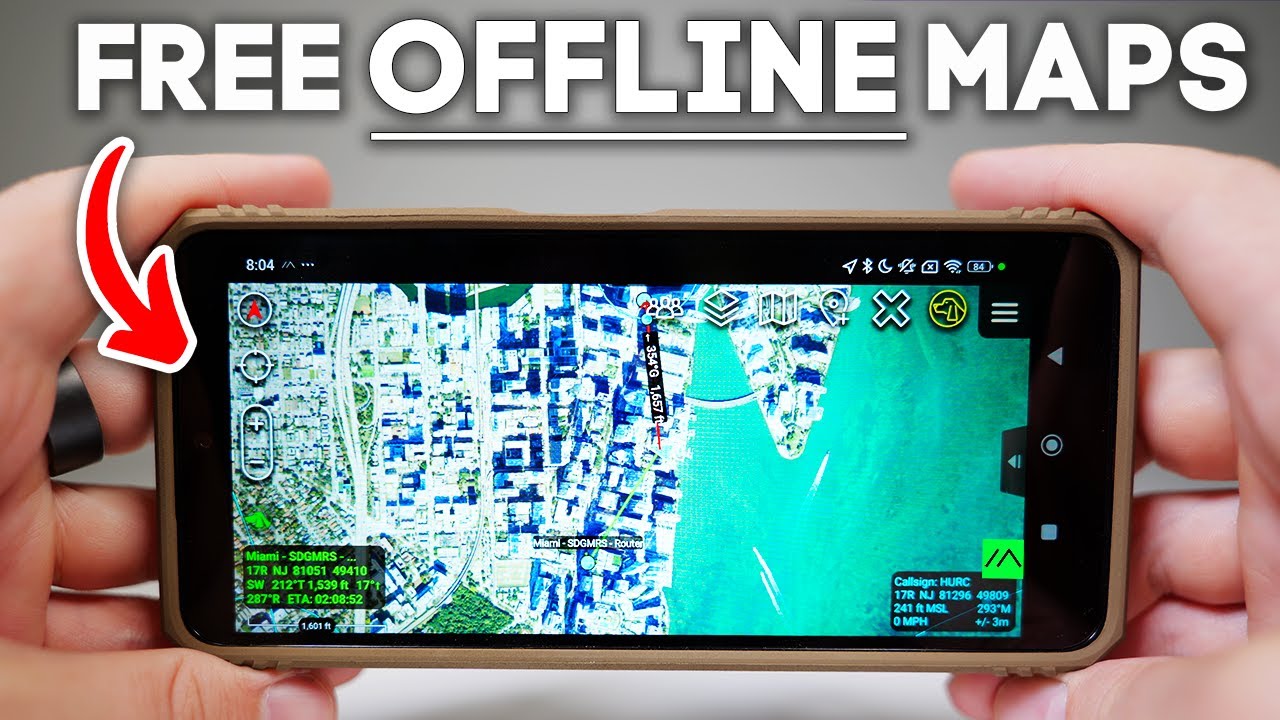
What if Google Maps was open-source, worked offline, and was built for war zones? Meet ATC, the military secret mapping app that you can actually download. If you remember frantically printing map quest directions and just hoping your inkjet didn't run out before you hit the road, then you know just how far navigation tech has come. But here's the thing. Most apps today are controlled by big tech, centralized, and at the mercy of app store red tape. But tools like ATAC run parallel to that system because they're free, open- source, and decentralized. And once they're sideloaded, they can't be removed or controlled by the app store. So, it's not owned by a big corporation that's ultimately complicit or vulnerable to state coercion. And that's exactly what makes it so powerful. So, here's what we're doing. I'm going to speedrun what ATAC is and how we got here. Then, we'll break down why tech like this matters more now than ever. And along the way, I'll drop field manuals so you can deploy the same setups yourself. But, I'm breaking this project into three checkpoints, each going even more rogue than the last. Phase one will consist of getting ATAC running in solo mode, so just the app and no builtout network. For phase two, we're going to bring Meshtastic to the party and do some peer-to-peer real-time comms over Laura. Finally, for phase three, I'm going to set up a Halo uplink and try to get some long range urban scale coordination, possibly from the sky. Now, if it fails at any point, ATAC's out. But if it works, this might be the start of something groundbreaking. But ATAC isn't just for the military. It's used by search and rescue teams, airsofters, farmers running tractors, hunters, and anyone who needs to coordinate off-rid. Unlike satones or Garmin trackers, there's no monthly fee, and once it's set up, you actually own it. And this channel is all about building tech that puts the power back in your hands. Now, I remember around this time last year, a 29-year-old paddle border went missing just off Key Biscane, barely a few miles from here. Now, Miami is one of the most urban tech connected cities in Florida, and still they couldn't find him, and that stuck with me. The fact that in 2025, we still can't locate people in the most critical moments seems like a failure on our part. So, I'm testing ATAC to see if we can truly command the cognitive high ground in remote highstakes environments. Not to mention, we've also recently added a new member to the squad. His name is Bruno. And right now, he's a mischievous little puppy. But as he gets older, I want to give him more freedom off leash in the woods, on trails, even up in New Hampshire. So, we're gearing up literally for those future off-grid adventures. Okay. So, you can actually see we are on um an island here. We're close to an area called Key Biscane. And um you know, we can see where we are on the map. It's using the GPS from the actual phone. Uh one thing I like to do is scale up the resolution. You can do that in the settings. You can also download the map so uh you have them offline and things like that. Um but uh you can see like it, you know, it orients. It knows um north, south, east, west, and it puts us right on the map here. Now, you can also see that little sign right there. So, that's the Meshtastic plugin. Um but it is red, which means that it's not on right now, which is fine. That's what I want to do for the purpose of this initial example right here. And so, what you can do is you can kind of play around with different types of maps. Uh and you can also draw on the maps. You can drop markers and so you know this is completely offline. This device doesn't have any sort of internet connection. So uh a tech is um completely usable without an internet connection. In fact, it's kind of designed for that. Um and you can still see that uh you know we have a map uh of the you know the United States here. So you know it's pretty basic uh without all the bells and whistles. And one thing I will say is ATAC is a very extendable uh application meaning you have plugins for all different things like DJI or Meshtastic or uh Orion or uh Pushto Talk or video or you pretty much have a plugin for everything. It's cool that you can develop new plugins for new kind of use cases and things like that, but it's definitely a proumer tool and it there is a bit of a learning curve uh in getting used to um setting it up and using it. I personally geek out with that stuff though. It's not going to be like, you know, Google Maps where you just like push a button and go. It's going to be something where um you're going to have to invest a little bit of time to understand how to actually uh use the application. So, if you want a map uh to be available offline, what you can do is you can go to menu bar maps or
Segment 2 (05:00 - 10:00)
rather you can just go right to maps, go to mobile, toggle this over to online uh when you're at home. There they are. So, these are kind of the out of the box maps. I like USGS NIP. So, if I wanted to make this guy available uh for an OP in the future, I could just uh select it. So, I'm going to select this and I'm going to click this arrow here. All right. I'm going to do select area and then we'll just do a rectangle. So, one thing I can do like one, two, three. So, I have my rectangle. Um, and that's going to generate a certain number of tiles. And then I'm going to go ahead and do download, create a new tile set. I'm going to call this um Miami. And then it's going to start downloading um those tiles. All right. And now you can see this SQL light database. Uh the name is using the name I gave it which is Miami and um if you can remove the outline or you can just you know add it if you want to see what your you know downloaded map entails and um the actual kind of like geo fence around it. Um and if you go over to imagery you'll see just that. I didn't let it finish downloading so there's still some missing tiles there but it'll cache the rest of the map. So, you don't necessarily need to um uh to download offline everything, but if you just want to be safe, you can uh just draw the um area of coverage that you're going to want, download it. It'll put it into a database here, and you will have that for any sort of offline activity that you're using. But, um okay, so you can see it's kind of just us out here, right? There are some cool things in terms of um like if you're coordinating like some sort of operative or something or you have a team or something, you can do a lot of like drawing and adding symbols and things like that. All right, so I went to menu and then I did this guy here, this like plus pointer thing. Um and then you can see you have this thing called markers and you can select uh you know like the uh the symbol that you want to use for that particular marker. I'm going to get rid of that. But if you hit markers, you can select a whole different sort of like catalog of images, right? So you could do for instance um vehicle models, right? And then within that you have aircraft. So like if I want to put an F-22 onto the map, I can do it just like that. Now it'll be to scale. Uh just keep that in mind. Probably don't want to put that in the water there. So I'm going to get rid of that. I'm going to get rid of this locking because that's getting annoying. But uh maybe we want to put uh something a little bit more appropriate. Aircraft. So, let's do maritime, right? And then we have a couple different uh things that we can put in here. So, we can throw boats in here. Um but you can like put planes in the sky and stuff like that. And then once these are in the map, uh we can get rid of the menu bar. And you can do all sorts of things like measuring the point between two objects, sending messages to these things. Um there's a lot of sort of like granular activity you can do with uh different objects on the map. Okay. And another feature I really like here is a tech has builtin support for IP cameras. you know, if you have any sort of surveillance or um drones or yeah, any sort of feeds like live RTSP, HTTP, UDP stream feeds, um those can go right into Mishtastic here. So, if we go to the menu and then we go down to video. Now, this came with my build of ATC. Uh I've heard some people mention that you need a special plugin. Um if that's the case, then make sure you download that. But video was um immediately available for me in um in ATAC. Um I don't have any IP cameras. Uh so what I'm going to do is I'm actually going to uh on my Mac um set up an RTSP stream. You can do it using things like VC, FFmpeg, OBS. Um it's a little cody. Um but uh for those of you more technically inclined, definitely possible. or you can just use a IP camera. Um, so on my Mac, I'm going to run a command here that's basically going to use the UDP protocol and it's going to pass uh you pass the Android um IP address. See, w with video streams, you either listen, you subscribe, or you publish. Um, and based on what protocol you use, it uses a different model. For UDP, you publish. For RTSP, you kind of
Segment 3 (10:00 - 15:00)
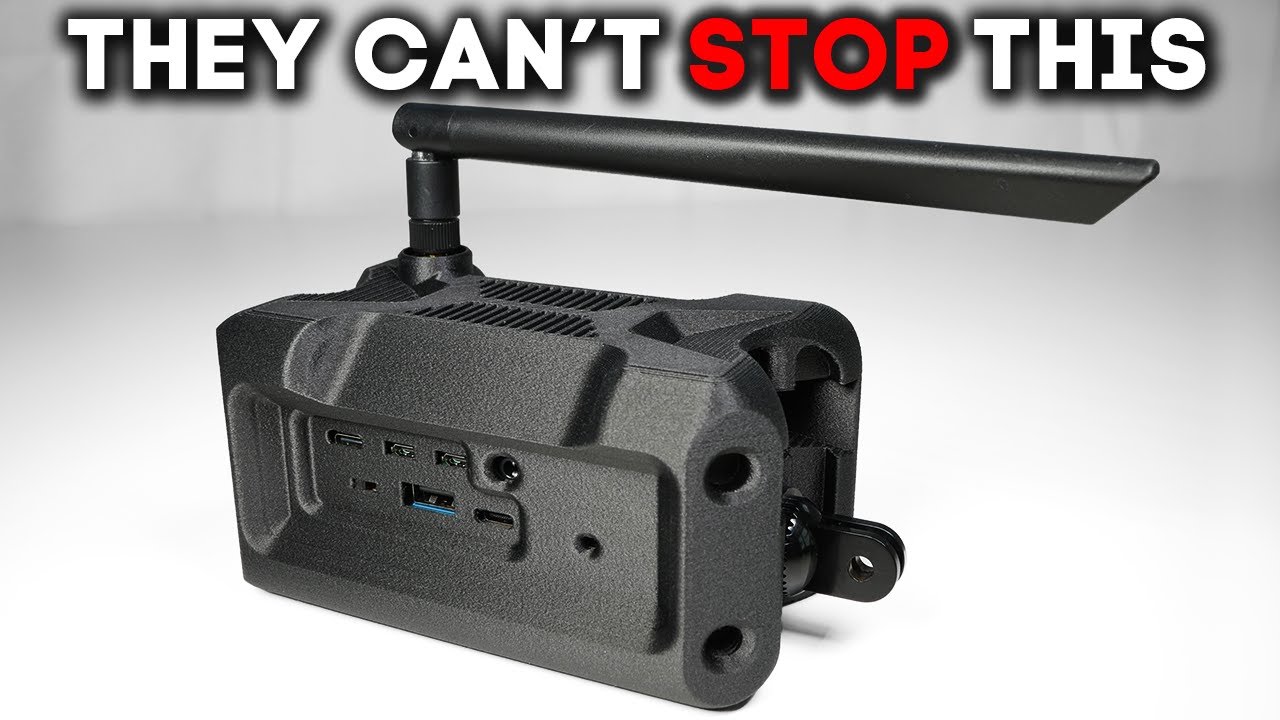
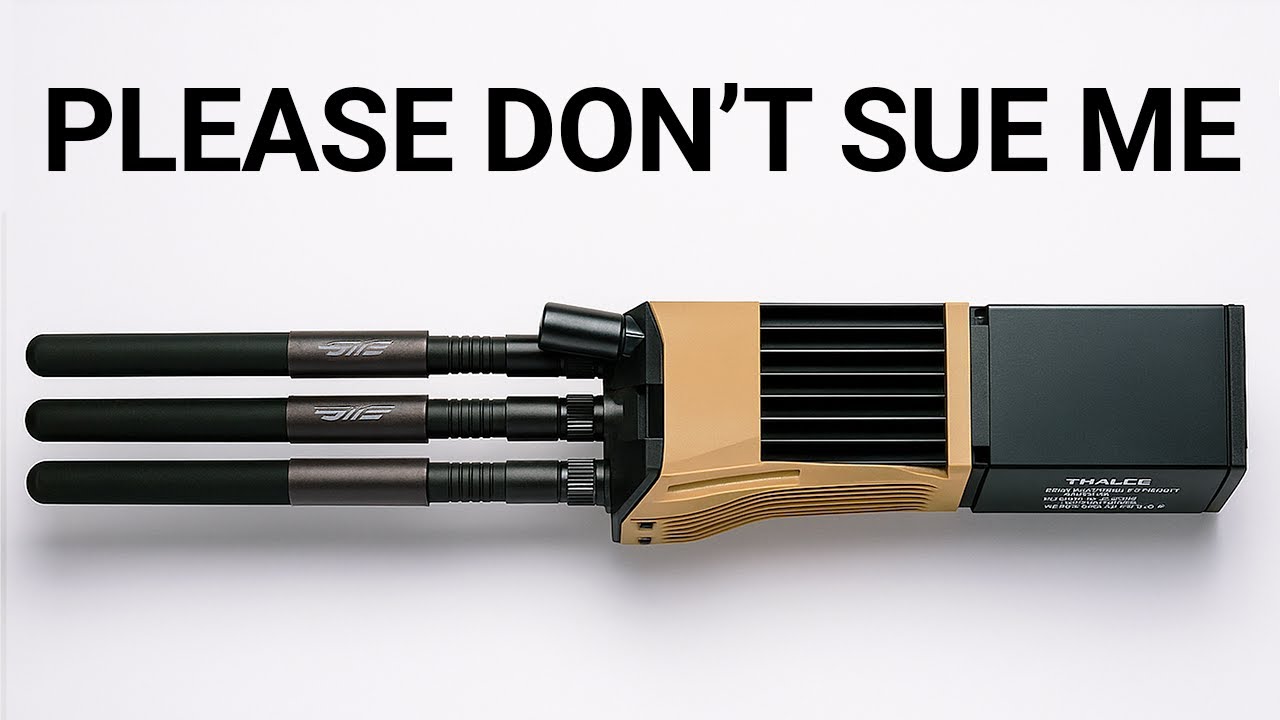
subscribe. So, um, that means that I'm going to be pushing the stream to this devices's IP address, right? So, if I just go into settings, Wi-Fi, I'll get this devices IP address. And, um, so on my Mac, I'm going to use that as um, part of the stream um, parameter. And I'm going to use ffmpeg. And I'm just going to run it from the command line. And I should see that it's sending over frames. So, I just set that up. It's running. It's using the webcam from my Mac. So, all I have to do now is go to U plus, right? We're going to use uh UDP, but you can see there's quite a few protocols um theoretically supported here. For UDP, um we're going to keep the IP address blank because we're pushing it to this devices IP address. But we do need the ports to match up. And I think we use 500 0. And then I'm going to give it a name, data slayer DS. And there's a couple other parameters there, but frankly those aren't very important. And we're just going to click add. And then, so now we have our source. It's saved. We can come back to it. But if we want to pull up the stream here, we just go ahead and click it. And uh, you know, that's me right over there. It's quite high quality just right out of the box. Not messing with any parameters or anything like that. And you know, again, like we can, you know, we can navigate away from here. It's fine. Uh or we can come right back to um to the feeds that we want to see. You can have multiple feeds. Uh it supports that just fine. So, um yeah, really cool feature there. Um particularly if you're on the move or you have drones uh with cameras and things like that, um having that kind of aerial visual I think is uh pretty compelling. So, before we go full rogue with DIY solutions, I've got to mention that there's a ton of really compelling off-the-shelf gear out there if you've got the budget. First up would be something like the Goenna Pro X2. This one uses its own proprietary IP less protocol to send short bursts of data over long distances. It's about $1,500 per unit, and you'll find it in the hands of professionals who need reliable offgrid comms. Then there's Persistent Systems MPU5, which is kind of the gold standard for tactical mesh radios. But get ready for sticker shock. These run about $9,000 each. The Beartooth MK2 is another option built specifically for ATAC mesh networking, running about $2,400 for the kit. You've also got options from Doodle Labs, like the wearable Mesh Rider radio and rugged cases from Juggernaut. Allpurposebuilt for heart conditions and serious field work. All of it's rugged, reliable, and built for people who need the best, but it's definitely an investment. Even on the DIY side, there's some seriously rugged, highquality equipment out there, but it's still going to cost you. For batteries, you've got options like Fails and Harris or even Brentronics, who makes DoD and military certified battery packs designed for rough conditions. Now, typically we use ceramic GPS modules that cost about 10 bucks. Or you can go allin with high precision Helix antennas. Even random ones off AliExpress can be a step up. The same applies on the antenna front. For those sub gigahertz radio antennas, you can use ultra tough gooseeneck antennas built to take a beating. And then there's custom complete builds like what Trey over at Marose X is building. He's created his own version of a mainet radio. All high quality stateside production using materials tough enough to survive getting run over by a vehicle. Most of his gear is IP65 rated, so it's basically weatherproof. I've been begging Trey to send me over one, and when he does, you'll definitely see it on this channel. The beauty of the DIY route is you don't need a government agency behind you. But for my build here, I'm gonna keep it cheap and proof of concept. But if you've got the budget and the itch, you can absolutely go ham on these radios. So, there are definitely some uh rugged, expensive cases out there. I'm thinking about Juggernaut in particular. Um, and they seem pretty nice, but I'm going to try to keep this uh budget friendly. So, I bought this case off Amazon. Um, so it has the kind of uh rugged look and feel to it. but it was only $13. Um, but it doesn't quite have the uh the aesthetic when it comes to the color. So, what I'm actually going to do is um I bought a little acrylic spray paint here. This is flat dark earth, which is kind of has a good kind of military vibe to it. So, I'm going to give this a shot and see how it works out.
Segment 4 (15:00 - 20:00)
But for the sake of example, I'll be keeping it bare bones and hopefully you can too. Now, I'm going to be using an Android phone that I bought off of Teu as my mission control. And just like Meshtastic, Atac is fully open- source and can be sideloaded. That means you actually own the app. Nobody can pull the plug or lock you out. And there's a reason Meshtastic is exploding in popularity right now. People are tired of renting their own tech and want real control. Now, once you add mesh networking to ATAC, things definitely get next level. It no longer becomes about tracking a single device. Because with protocols like cursor on target, you can have real-time tracking, dynamic targeting, and situational awareness across your whole group, even if you're totally off-rid. But it gets even wilder. With the right setup, you're not just sending text or GPS data. Some mesh radios and networks use real mesh networking protocols like Batman. Yes, that's the real acronym. Stands for better approach to mobile ad hoc networking. What that means is every device in your network helps relay messages. So the system is self-healing and super robust. If one link drops, the mesh routes around it. That's how teams stay connected in disaster zones, deep woods, or anywhere where there's no infrastructure. And you're not limited to just text and location. Once you've got a local network set up, especially with something like Wi-Fi Halo, you can even run voice chat apps off-rid. Apps like Orion, Zello, or Team Talk aren't just for the cloud. If you can configure them using a local LAN server or set up your own Mumble or SIT PBX, you can push live voice PTT and even group calls entirely off the internet. On Android, it's even easier. You can have a tech open on one screen, Team Talk or Zello on the other, all routed through your Halo LAN. Instant offgrid comms, voice, text, map, all side by side. So, there's a couple different ways to download this app. Um, you can get an APK file from the government ATAC website. Um, if you go through a couple uh hoops, uh, I was able to do that for one of my other devices. That works. Um, but it might be a little quicker just to download the Atax Civ for civilian use uh, from the Google Play Store if it's compatible with your device. So, that's what I'll do here. I'm on the Google Play Store. I'm just going to click install on this guy. Okay. So, let's actually get going with Meshtastic. So, um, so we do need the plugin for Meshtastic. So, we can get that right from GitHub. Um, I'm going to try to go directly to uh GitHub. So, we're on Meshtastic/ATAC plugin. And then if you go to releases, um, this is the code, but we want the compiled version, which is going to be this first one here. So, one of the things we're going to want to do is uh to get this all kind of working is we want to now go to meshtastic and then for the radio configuration go to device and then we want to change the role I've already done it here to tac probably going to be a client by default. You want to change it to tac and then um I've I already have it set but otherwise you would want to restart the device. You send that down. Okay. So, the final step is to get Atac to recognize Meshtastic in the plugin. So, we're going to go back to Atac. And actually, we get a message here. Would you like to load this installed plugin? So, I kind of auto um recognized it. So, we're going to do okay. And then we see the Mesttastic icon. We see that it's green, which means that it's working. If you didn't get that prompt, you could also go to the hamburger menu here. Plugins right here. That puzzle piece. So, we don't have to do anything. and kind of automatically did it for us. But you might see this here that it says it's not loaded. You just select it, load it, and you're good to go. So, I'm going to try to send a um a te a test message here. So, I just fired up my Okay. So, there's my T1000E. Let's connect. Okay, looking good. So, basically what I want to do now is send a message and have it show up on tac cuz this guy has the H2T. T1000. So, technically they're separate devices. They're only being connected by Laura and uh Mishtastic. So, okay. So, we are getting messages across now when they're directly sent to each other. So like I just click this um this group icon here and then if I select instead of all chat rooms or groups I just select the individual. That's this radio right here. Um I can send some messages. Uh test
Segment 5 (20:00 - 25:00)
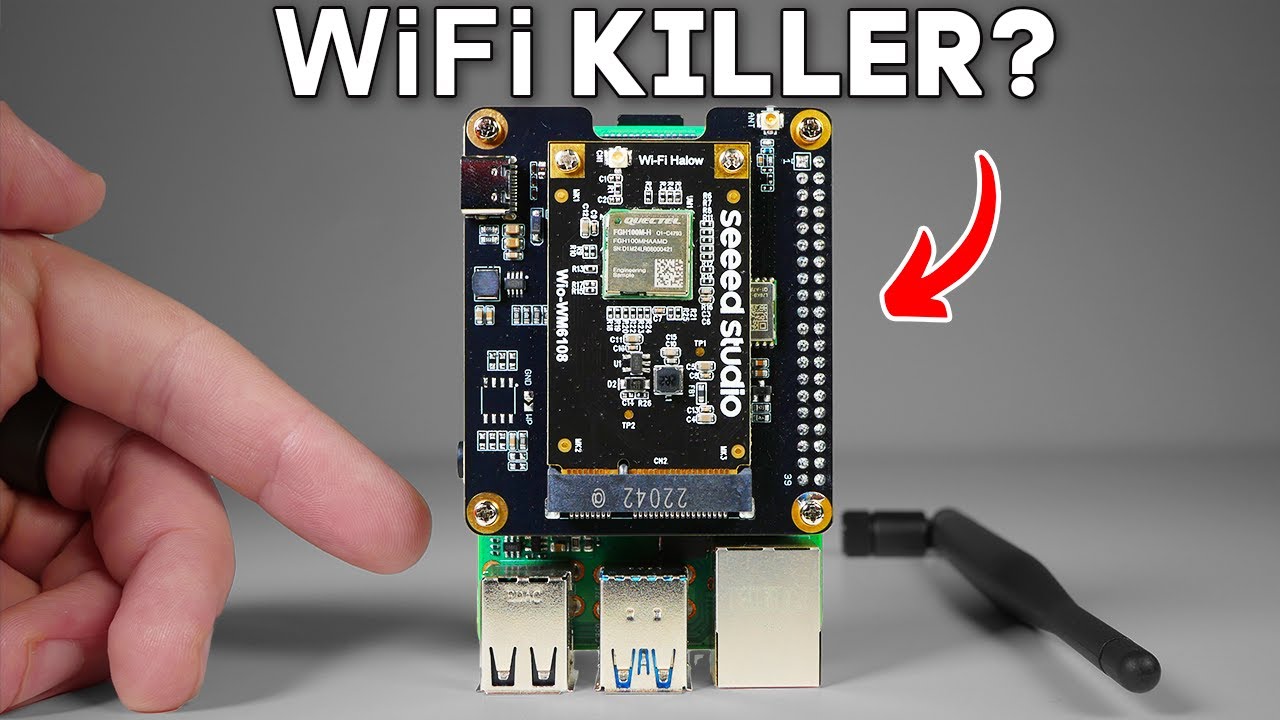
one two three and that should come across. It does right there. So um I can in fact get my messages across through a tac which is what we want here. Okay. But we should still see be able to see uh the meshtastic nodes on the map here. Okay. So we were seeing um we were able to send messages back and forth uh from these devices but um we weren't seeing the node positions on the ATAC map. So, specifically what I want, note that there's like a hop limit, which is something you're probably going to want to uh tweak. Um, but what I want is show all meshtastic devices. If enabled, all meshtastic devices will show up on the map. I do want that. All right. So, I don't really care about all that stuff, but I did want to show the uh nodes on the map. So, if we go back here and then let's take a look at our map. So I believe it's going to take a second here but it should start populating and I think it populates based on the frequency by which devices transmit their coordinates. Okay. So now we can see all these nodes in South Florida. And if we want to see even more granular information about it, you could message that user. Um, I guess you can't see, let's see. So, you could do things like this. If you click on it, you could, um, measure like how far it is from you. So, that's 3. 87 kilometers. Um, you can send messages directly to it from here. So for instance like this is my other node right this guy here I could message him directly. I pull this over like here. Come over here. Direct message. Right. And I can say, you know, testing and then I get a DM directly here, right? So, it's like really easy to kind of visualize what nodes you're talking to and where they are. And you could do other things like send, you know, map information and what have you. Um, so I think this is really cool because again, um, this could be entirely offline. Like we could go over to settings here. We could go to Wifi and we could turn that off. Right? So, we just turned Wi-Fi off. We go back over to ATAC and I want to send a message to uh, one of my uh, team members. I can say no. Wifi and there it goes. So like you're not at the mercy of centralized networks. I don't know. I think this is super cool. Um imagine having a search and rescue team, a fleet of devices, obviously the military scenarios, but even civilian scenarios, hiking groups, kayaking groups, uh festival groups. Um there's so much you can do with this and it's all uh it's actually, you know, it's tech you actually own. It's your GPS devices. There's no subscriptions. Even the ATAC app itself is open source. You can sideloadad it. You can sideloadad Mashtastic. These are open source apps. You own them. They can't pull them from a centralized app store and one day it just doesn't work. Like you own the APK. It's going to run, you know, forever. It's not contingent on uh centralized web servers and what have you. So to me that feels powerful. Um it feels like uh they can't uh there's no gatekeepers. Uh so kind of all the hallmarks of tech that uh that gets me interested and curious. So that is a tech. That's a tech plus meshtastic. Um certainly a lot more you can do it with it in terms of like servers and mainets and things like that. I'm going to show one more thing which would be to introduce uh Halo. I'm certainly not going to use it in its kind of, you know, most fullfledged manifestation, but uh I will get it going and see kind of proof of concept that we could send messages uh or send comms uh you know, potentially several miles away using uh Wi-Fi Halo. So, here's where things get really interesting. Wi-Fi Halo is a newer standard first unveiled in 2017. You get the range of Laura with the speed of Wi-Fi and also a considerably modest energy draw. This thing just sips power, making it perfect for portable and off-grid setups. Bandwidth is
Segment 6 (25:00 - 28:00)
measured in megabits per second. And unlike traditional Wi-Fi, Halo works seamlessly both indoors and outdoors, so there's no need to juggle between 2. 4 and 5 GHz bands. Just plug in a regular Omni antenna like you would with a ham radio and you're good to go. Pricing is on par with Laura, but you get way more throughput and you're not stuck with bulky directional antennas. This tech is built for realworld deployments and it just works. Now, we're not quite building a full mainet here, but Halo gets you surprisingly close, delivering reliable peer-to-peer longrange comms without killing your battery. Okay, so we've got ATAC going with a live uh video camera stream, but not just that. It's running an FPV camera to a cow. And the only network connection that this has is a Wi-Fi Halo chip right there. And it's running one of these 18650 batteries with a very weird form factor, USBC. But, um, what's so cool about this is if I try to grab it here, you can see we are running Wi-Fi Halo on our ATAC. And I'm actually going to go out onto the balcony a little bit so we can see exactly um, if we can get a feed from that far. Say hello, Bruno. Come here, Bruns. Come here, Bruno. Oh, you just got a nap. A nappy nap. Good boy. I'm literally tracking my dog on a Battlefield app. This is insane. So, it's not perfect, but we do have the setup working with Halo. And overall, I'm pretty impressed with the potential of this tech. We've got Halo pushing location updates from miles away with no LTE or satellite, just this $40 chip and a little configuration. Honestly, I didn't think we'd get here. But is it a data slayer video if I don't make the FAA at least a little nervous? So, this is Sky Mesh, a 3D printed adapter I made to mount a Mishtastic node onto a drone. If you want to grab one of these or download the 3D printing file, check out the links in the description below. But the idea is simple. You're in the field, the stakes are high, and you're losing daylight, and you need to get a fix on your fleet. Maybe your dog has gone missing, you've separated from your hiking partner, etc. So, what do you do? You launch a sky mesh as an ad hoc cell tower, flying it high enough to temporarily extend the range of your mesh by orders of magnitude to find your missing node and work your way back to base camp. At least that's the theory. If you want to see a new kind of GPS that feels like it's straight out of a Tom Clansancy novel, check out this next video. Thanks.