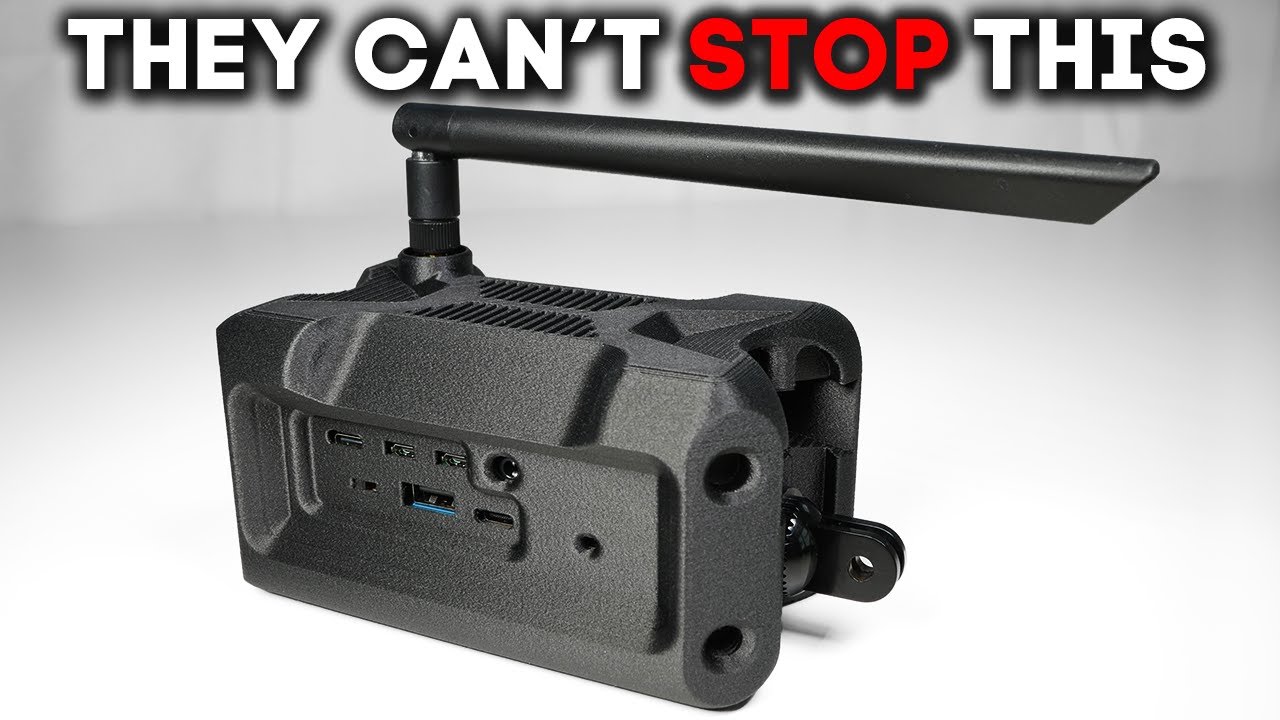
Most people believe Wi-Fi dies after a couple hundred feet. Today, I'm about to prove just how wrong that is. In fact, I'm live streaming this very video about a/4 mile away from my apartment. So, this little cow right here is using a Wi-Fi halo signal via this antenna and it's sending a message all the way up to that building over there. And it's actually sending a video stream, a live video stream at 15 frames per second, which is quite impressive. Just a $5 board and some Florida engineering. Hi, Mom. This certainly isn't your old blue box link router. But for tech like this to really move the needle to deliver net new utility and actually extend what's possible in the current wireless stack, it's got to prove itself on three fronts. No wishful thinking, hard numbers. So, here's what we're going to test and determine. First off, range. Can it actually reach beyond the walls and cover ground that matters? Next up is bandwidth. Is it fast enough for real world tasks or does it choke under pressure? Finally, penetration. Can it cut through obstacles or does it fold the moment you step behind a concrete wall? I'm putting Wi-Fi Halo under the microscope. Now, I've been testing decentralized open wireless communication tech for a few years now in an effort to build tools that put the power back in the hands of the people. And judging by your response and the ground swell I've seen out there in the field, it seems like there's a market for it. By the way, this video caught the attention of jam. dev. They wanted in on this topic, too. But I'll get to that in a little bit. But first things first, we have to check out the anatomy of this new hardware and get this thing up and running. Okay. Now, in terms of the logistics of how this tech actually works and integrates with your home network, it all starts with the Wi-Fi Halo chip itself. Now, I bought two chips from Seed Studio to serve as my test case. The first is a WEO WM6180, which is a chip with a mini PCIe form factor and sports the Questel FGH100MH chip, which actually brings us the Halo radio modulation. This will run you a modest $14. 90. Now, to test a Halo connection, I will need two Halo radios. one to act as an access point or gateway and the other to function as the roaming client to test the connection. For my client, I'm going to use Seed Studios other board sporting the same radio modem but outfitted with a pin set that is compatible with the Chia MCU. And due to the Chia's modular design, I can also put an FPV camera on that rig to support a video demo. Now, for my client, the Halo board ran me $16. 99. The Chia with the FPV added another $14. 99. And finally, we'll need some 900 MHz range antennas. There are many to choose from. My advice is get something that's better than the stubby antennas. I got one straight whip antenna with a long extension and a crooked arm antenna for the cow. So, definitely not breaking the bank with any of these. Okay, let's set up our gateway. Luckily for us, we're going to be able to use software preconfigured to get everything working. Our Halo gateway is going to sit on a Raspberry Pi 4 that will run a fork of OpenWRT, which is a prominent open- source router operating system. Now, the company doing the most on the software front with Halo is an outfit called Morse Micro. They developed this flavor of OpenWRT to work with these Halo radios. All we do is flash this OpenWRT image to the Raspberry Pi, turn it on, do some initial configuration such as select a Halo SSID and password. Then once it's configured, all we need to do is connect it over Ethernet to our base network. In my case, my home network is managed by a UniFi Express router. So I just plugged it in and now our network is Halo enabled. Now, Halo does need a sub gigahertz antenna to propagate a signal. And you can mess around with positioning and antenna brands to optimize your setup, but I attached this straight whip antenna stand and placed it on my balcony to serve as an example. And the Halo clients can talk to the other devices all over traditional IP networking. Okay, so now we need to configure our cow. Now, programming MCUs is a whole other animal, but I've got to say vibe coding has made this process much more tenable than it was even say a year ago. It's definitely not perfect, but if you use a capable model and ensure it has context to the entire
Segment 2 (05:00 - 10:00)
directory, it can be very helpful. So, I downloaded the example projects from Seed Studio and ran a few of them. The main one was the video camera example and it worked pretty well. But when the connection to the gateway dropped, it errored out. But I used cursor to modify the logic to fail gracefully and keep checking for a new connection anytime the network dropped without crashing. And that actually worked. I also vibe coded a much more rudimentary program that simply checked for a connection to the network every few seconds and returned an okay or a fail based on the result of that ping. Now, when programming the Chia, you do have to supply the Halo SSID and password, but that's really it. Let's talk about the Wi-Fi you probably have right now. Most modern routers are dualband, so they broadcast on both 2. 4 4 GHz and 5 GHz. Now, 2. 4 GHz typically covers up to 150 ft indoors and 300 ft outdoors. It's a little bit slower, usually maxing out at around 150 to 200 megabytes per second, but it handles walls and obstacles much better than 5 GHz. Now 5 gigahertz can deliver much higher speeds often over 500 megabytes per second but the range drops to about 50 feet indoors and it struggles with walls or interference. So you get more distance and better coverage with 2. 4 GHz but higher speeds when you're close to the router at 5 GHz. And generally that's the trend as the frequency goes lower distance increases but bandwidth also drops. But Wi-Fi Halo is a totally different animal. Wi-Fi Halo, also known as 802. 11h, operates down at 900 MGHertz, which is way lower than your standard 2. 4 or 5 GHz router. That low frequency gives its superpowers when it comes to range and penetration. It'll cut through concrete, trees, even a couple Miami condos, and just keep going. Sure, you're not getting gigabit speeds, but what you are getting is a signal that works in places your old bluebox links or even the latest mesh system can't even dream about. Now, we've seen other devices at this range, namely Laura. But where Wi-Fi Halo stands out is it uses a different technique that brings two new features to the party. One is way higher bandwidth and two is IP networking. Halo can support web browsing, video streaming, really whatever your device wants to do. It's real wifi, but built for the edges of the map. And it's not just theoretical. With today's chipsets, you'll see speeds up to about 16 megabytes per second, which is plenty for most off-grid security or rural needs. and real world tests over 300 meters of range even through trees and glass. Another feature just like Laura is that it has very low power draw. This means it opens up a world of new possibilities when it comes to solar renewable energy or just long life batteries. Finally, this isn't just vaporware or another Kickstarter that may or may not ever come to fruition. You can get modules right now that have plug-and-play hats for things like Raspberry Pies, Ethernet bridges, or MCUs like this Chow from Seed Studio. Now, the Chow can be a bit janky, but if you like tinkering, it's the most fun you'll have for under six bucks. In short, Halo might be a gold mine for farms, cabins, disaster prep, or other mobile rigs. No subscriptions, no servers, no Spectrum license, just you and the tech, exactly how it should be. Here's where it gets interesting. I've recently started working on a bigger project, and I'm excited to tell you about it. It's basically going to be a node built on open hardware and software like Raspberry Pi and OpenW WRT that lets you set up your own hotspot and actually earn real money when people connect. the same way airplanes and hotels do today. In my building here in Bickl, there are about 80 Wi-Fi networks, but again, none of them are working together. Ubiquity tried something similar, but it kind of fizzled out. And Helium has been trying this for years, but the payouts are pretty weak. With MeshLink, there are no middlemen. You set the price, you control your node, and you only broadcast when it makes sense for you. In a few months, I'll have the first version ready for alpha testers. If you want to see how spare Wi-Fi can turn into side cash or want to be one of the first ones to try it, subscribe and check back because I'm pretty excited about this project. Okay, time to see if
Segment 3 (10:00 - 15:00)
it can survive Miami concrete. Okay, so we can see that um it's trying to connect and just says fail fail and that's because this guy is not connected. So this is the access point or the gateway. Okay. All right. So, that guy's plugged in now. And then we should see this switch to um success. Let's see here. Give it one second. Okay. There it goes. See that? Okay. All right. So, and it's going to keep checking every 3 seconds. So, now we got to take this guy out and about. going to take it into the stairwell and see if we can continue to get um a signal here. So, let's see. All right. So, it looks like we're still getting a signal and we are in the stairwell. So, there's lots of concrete. And let's see what happens if we go up. Okay, so now it just said fail. We got a signal back. Um, I want to see how many floors we can go before the signal is interrupted. Um, let's see. Okay, so I brought my computer down here to the pool. The gateway is up there on the 20th floor. And you can see that we are still getting a signal from this guy right here. So, we are getting Wi-Fi reliably right now. Probably 500 ft away perhaps. So, kind of opens up a whole new realm of possibilities when it comes to uh local area networks. Now, quick sidebar. Jam. actually sponsoring this video. And there's a reason for that. They're all about saving you and your team time and headaches when it comes to reporting bugs. Over hundreds of thousands of developers, testers, and product managers from companies like Disney and Dell are saving hundreds of hours every week by using Jam to report bugs and streamline fixes. Here's how it works. Jam is a free browser extension that lets you capture bugs with just two clicks. Take a screenshot or screen recording, and Jam automatically includes all the console logs, network requests, device info, and reproduction steps. No more endless back and forth trying to explain what went wrong. Just hit that Jam icon, annotate the issue, and instantly share it with your dev team. You can even connect Jam with tools like Jira, Linear, and Slack to create tickets automatically and keep your workflow humming. Pro tip, set up a team workspace so all your bugs reported are stored, searchable, and secure. Perfect for onboarding new members and making sure nothing falls through the cracks. Seriously, if you want to ship faster and skip all the unnecessary calls, give jam. dev a try. Big thanks to jam. dev dev for supporting the channel and helping indie builders and teams move at the speed of thought. Now, back to the action. Here's what I love about this project. It's pure open hardware. You buy the Wi-Fi Halo chip once, plug it into a Pi, and you're set. No subscriptions, no lock in, total control. Build what you want, keep it running as long as you want. So, the hardware and the software is definitely still nent, but I was pretty surprised by what it can do. And in the realm of wireless connectivity, we only have so many technologies we can use. And I definitely see a play for Wi-Fi Halo. Its low energy draw, its introduction of IP networking and ample bandwidth make it a real contender when it comes to the future of wireless communications, routers, mesh networks, and what the future of connectivity might look like. So overall, I was pretty impressed with this. People seem to really like Laura nodes and meshtastic devices, but there's one common theme that seems to keep cropping up, which is we need more data. And that's really what Halo does. It's the same frequency, slightly different technique, but it brings you the data and the IP networking that is not part of Laura. So, if you were to add a gateway to your router or a Halo chip to any of your clients, you could potentially get a signal at very long
Segment 4 (15:00 - 15:00)
distances. And it just opens up a whole new world of possibilities when it comes to wireless tech, which all got me thinking about my next experiment. They say airborne nodes get the most coverage. So, here's the question. Is it smarter to go high tech with a drone or classic DIY with a kite? This is about to get interesting. For more killer tech videos, check out this next video.