Most strategy workshops don't fail because teams lack good frameworks. They fail because teams get stuck in discussion instead of moving to decisions and outputs.
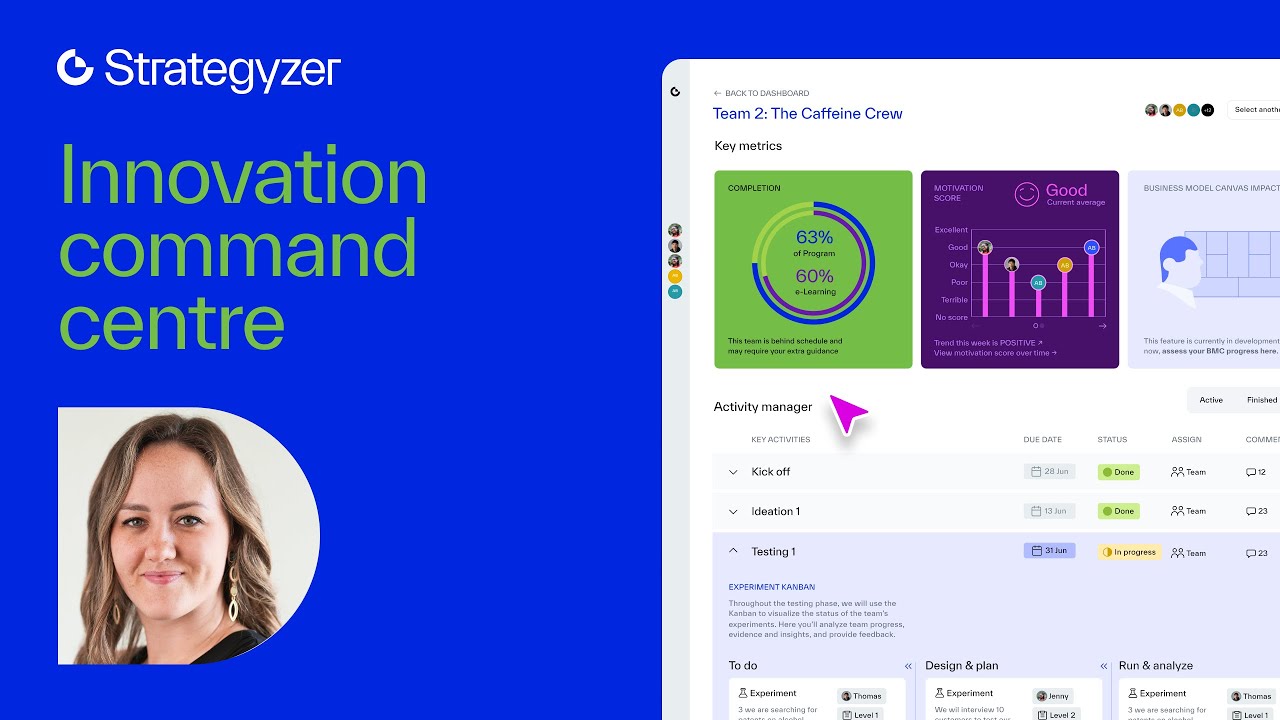
In this live product showcase, Alex Osterwalder, Ashley Underwood, and Olaide Kaffo walk through what Strategyzer Playbooks are, how they differ from books, templates, and training, and how to choose the right one for your next session. You will see the Playbook Library in action, the reusable data assets feature most subscribers discover months in, and a worked example from the Honeywell Growth Symposium, where 10–14 teams run the same playbook in parallel.
Built for strategy, innovation, and product leaders – as well as coaches and consultants evaluating the platform.
-
[00:00] Welcome and introductions
[04:13] Audience poll and roles
[08:19] What playbooks are
[17:18] Choosing and running playbooks
[28:03] Reusable workspace assets
[34:02] AI features and examples
[43:18] Feedback on using the platform
[46:01] Roadmap product updates
[51:35] Q and A and answers
[57:26] Closing remarks and next steps
Оглавление (9 сегментов)
Welcome and introductions
AR so we're actually showcasing our product. So it's not going to be just you know kind of just in quotes the kind of methodology learning and so it's really going to be about showcasing our products. Um put your questions in chat and uh yeah we hope to answer as many as we can. So with that I'm just going to show you quickly kind of what we're going to go through and who is here. So we have Ash who is driving the uh product at Strategizer. We have Olid who is a senior designer driving design. And we have myself um driving um down the mountain with my skis when I have a little little bit of free time. But super excited about where the product is today. So super excited that we have two members of the product team with us. I'm just going to start um and then throw it over to Ash and Olide. Um the big theme that I'm really getting back into is uh no blah blah. And I think that's really what our tools and uh our platform playbooks are really about rather than just talking. There's nothing wrong with talking, but getting lost in talking rather than working towards results. I think that's a real challenge that I see um in a lot of my client conversations and as strategizer we see a lot and that's what we're kind of fighting against. So as a reminder some of you have maybe seen this uh history of strategizer started out as a kind of methodology and tools company. We did launch then kind of company that was more into um consulting and training. We did start from the start with software. Then we move towards actually running all of our client engagements on the software platform. But we haven't really figured out how to create value for a much larger group. That really happened I'd say about a year ago with the playbooks where we learned how do we you know drive results at scale with the strategizer playbooks. And I just want to get into this um uh through what is a playbook because it's a concept that um is new. I'd say the way we look at it and then Ash is going to talk about choosing and running the right playbook. So we have a small library that um a couple of you are already accessing and using. It's going to grow hopefully to you know hundreds of playbooks one day. Then we're going to look at a couple of features and Olida is going to give you a little bit of an outlook of some of the things that she is working on. And hopefully if we don't get lost in blah blah, we'll have some uh time for Q& A and we'll try to answer in the chat as well. And uh of course we always have a little bit of participation. So first we just love to hear who is here and we structured the question a little bit differently this time. So just get this started. So just go to menty. com put the code or just use the QR code and um I'm going to launch the Paul. So which label would you say applies to you? I lead and facilitate the work for my team. So you're working with your team as a leader or as you know core member of the team. You design programs, workshops, maybe playbooks for clients. So you're more of a consultant or you design programs and workshops for teams in your company. So that's a little bit different. I'll get out of the way here. Or do you participate in work that others lead and facilitate? Or do you oversee? That's the last one. How your organization uses tools, implements tools. So just a quick, you know, check of where you are. So we see quite a few consultants. Not surprising. I think it's also a segment that we like and you know we're in self-disruption. So I just jump up here again. We're really in self-disruption. I want to make our playbooks accessible to coaches and consultants around the planet so that you can actually earn money from services because we're slowly moving, you know, uh beyond consulting. It's still a big part of our business, but we
Audience poll and roles
want you to earn money from our playbooks. So good. Okay. Quite a large group of consultants. Some of you lead and facilitate the work for your team and some people who actually design programs and workshops for your own teams. Awesome. Let me get back to the slides. So, um, just a quick reminder, upcoming webinars, we do have one on May 6. So, maybe just use the QR code on what great value propositions look like. It's the big theme for us these days. We have a lot of big clients who want to know more around value proposition methodology. We're going to have a master class on the topic, but the webinar is free and we're going to just show you less methodology, but some great value propositions, historic and AIdriven. And then on May 18th, what makes a business model invincible? Back to classics. I think very interesting in the age of AI when you have companies that grow from zero to 100 million in ARR within a year. That's an insane amount of growth, right? Zero to 100 million as a startup. Kind of crazy. Is it sustainable? We'll talk about it at that webinar. Now, first, what are playbooks? So, just this one here, I want to summarize what we've learned at Strategizer over the last 15 years of practice. Books, as much as we love them, they don't work. training, e-learning, they rarely lead to strong results. Why? Got to read the whole thing. You got to translate it. It's very time consuming. And often people really struggle to kind of turn these concepts into effective workshops and sprints. So that's one of the reasons why we said, well, we know how to do that. Could we get others to benefit from that? We do see quite a few people doing it themselves, taking the time, but when you do this for hundreds and hundreds of clients, you're just better at it. We're not smarter. We just failed a lot more. That's why some of these things we just really master. And then uh hiring consultants works, but it's not really scalable. So, it can work for a phase. We get often brought in and we make clients autonomous right away. How do we make them autonomous with the playbook? So our big thing now and then Ash is going to go into some of the how do you select these playbooks. Our big thing is to move beyond books where it's about learning. You need to digest. You need to translate. Before you get any results, you need to do a lot of work. Well, with playbooks and the features you're going to see, you can apply this to work immediately towards results. That's what we're super excited about. And I like to say, you know, from books to playbooks is hund times stronger in terms of getting results because you can focus on one thing. Map out your business model, test the customer profile, very targeted um playbooks that we're building up. So what is a playbook? It's a guided sequence of activities. It's really about using these visual tools that we're known for, but using them the right way. That's why we have the guided sequence. We see a lot of people, one client that I can talk about at Honeywell, they've been using the business model canvas for 10 years and they tell us at these workshops that we run for them, they say, "Alex, we've been using this for a long time, but we didn't get out of it what we're getting out of it now with your playbooks. " So, I'll go back to that. We showcased it two webinars ago, what we did with Honeywell. So, you can watch those videos if you want to catch up on that. And then the important thing is built-in facilitation. We designed some of these techniques into the playbooks. Now, if you're a coach, you can actually run the playbook with a client and you can be the facilitator, but the built-in facilitation even makes your life easier. So, what does that mean? On the left hand side, you have step-by-step guidance. When you go into a playbook, it tells you what to do one step after the other. Then you have video explanations where either I or my colleagues like Kurt they explain what
What playbooks are
is the concept how to apply it. So immediately learn do. So yes there's a bit of learning but it's immediately about the work. Now where does the work happen? It happens in pre-structured visual workspaces. So we know how to design these workspaces and not these huge mural workspaces small targeted to get to results again with a couple of steps. And then the last one here this is one that I'm going we're going to show you uh Ash and myself reusable data assets. So these are not just visual workspaces and visual tools. These are data objects assets that you can reuse like a customer profile. You want to reuse those in different contexts. So I'll show you that a little bit later on. So that's what a playbook is. And the last one, of course, playbooks are not about learning, you know, like with an LMS by yourself. It's about getting work done with a team. So what we see most is teams of three to five people working through this. Sometimes with a coach or consultants, sometimes on their own. And then of course we do have people who sign up by themselves as for a startup or because they want to learn the tools, they want to get better, apply them. But where the real value comes in is working through these playbooks as a team. So that's how it works. Now an enterprise example, I referred to the Honeywell Growth Symposium. I'm not going to go deep because we have a whole webinar on this one, but basically we ran four of their growth symposiums. We run them every year. public case study that we can talk about. They have 10 to 14 teams that come to the growth symposium to pitch their ideas to the senior leadership and we have one in North America, one in Europe, one in uh China and one in India. The CTO Sesh actually brought us in and there were two objectives for that workshop. So we designed a playbook for that workshop. First objective sounds trivial, it's actually not. get the team to make explicit how they create value for the customer and how they capture value for Honeywell. Two things and then the second big aspect is what's the evidence that supports their idea and then the leadership you know invests based on evidence. So that's the goal. We designed a playbook for that and uh we already have that online the video you can watch the whole thing how we did it but basically the let me draw this here maybe quickly if I sorry want to quickly go back to this I wanted to just draw what is happening here so we have the um workshop one day but we have the preparation before now what's interesting here is they've done all of this in a playbook book without consulting here. We are then physically at the event and we support them. So what happened during the preparation? They did all the work here with instructions and visual workspaces. They had one office hour per week with one of the Honeywell team members and one of our team members who was also at the office hours. So very powerful to combine selfserve work and a physical workshop. And we're big believers of making everything digital so you can reuse. Now that's the front stage. But what's really powerful, just a glimpse of this um what's really important is we can only do these things at scale because we design these playbooks. And it's a feature today that is only accessible really to the Strategizer team. designing playbooks for our clients or designing playbooks that we put into the playbook library that you can access for a modest uh amount. But this is a feature that we want to make accessible to coaches or consultants who want to design their own playbooks for their clients. What you also have then obviously behind that is not just the sequence, the steps, but the workspaces. So you can constantly reuse them. So, they're not crazy big workspaces where you lose yourself. They're very targeted and small and we'll show you that in a bit. And then the last one just want to emphasize is that we have admin features to manage cohorts because when you have 10 to 14 teams, you want to get them to go through that at scale that process from mapping out those six artifacts all the way to running the workshop and the follow-up. without cohort management that wouldn't really work. So now before I hand over to Ash to really go onto the platform, I'll also show you I'll go back to Honeywell afterwards to show you a couple of aspects on the platform. Quick menty. So we would love to hear from you. We'd you what most prevents you today from getting results from workshops, sprints, and playbooks. playbooks for us is kind of a catchall from a one-hour meeting playbook to a workshop playbook to an entire sprint that could be multi- uh week or even you know three months or so. Okay, so looks like people are joining. Very cool. Maybe I need to refresh is also a lot, right? Because you need to kind of allocate points. So here you give points to these different aspects. Very interesting for us also. So you're helping us in the product development. So these are not innocent questions. We'll be very transparent on that. Ash and I worked on these yesterday to see well teams stuck in discussion instead of decision like what a surprise because I was asked I was wondering I had a hypothesis that blah is actually a big thing. And it sounds terrible when I say blah right very condescending but teams actually every time we run a workshop they like the timekeeping how we make it dense always to get towards result. So anything surprising Ash and Olid that you're that's jumping out? — No I don't think so. This um this confirms a small hypothesis of my own right which is that because this is just from my own experience. Sometimes I design workshops, right? They are structured, but within 15 minutes they've been derailed by either a competing priority that we didn't know about or maybe some blah or or whatever else or just people not really engaging with it and and so — the structure and the intention was there but actually uh over the course of thing it falls apart and you know I'm not ashamed to say that it happens to me today, you know. So this is the reality I think of doing this kind of work. — I'm wondering right so it's you know I'm asking myself team not committing enough time to work. We know that I don't know yet how we can design that into a playbook but I do think there ways of doing that. Um it's an interesting challenge. Anything that stands out for you that surprises you? Um I wouldn't say surprising but I think you know lack of understanding of the key concepts and tools I think is something that is very prevailing. Um and we get that a lot anyway and I think that's something that we're trying to tackle as much as possible based most of the product updates you're going to be seeing in the next few minutes. So I think that resonates for us. — Awesome. So with that, thanks Ash, thanks Ol. I'm actually gonna hand it over to Ash because the next point is Ashley talking about choosing and running the right playbooks. — Okay. Can everybody see uh my screen here? Yes. So, — amazing. So, um this uh that you're looking at now is uh what we call the projects page. Um if you go on and subscribe uh to the playbook library uh you'll become very familiar uh with this page. So uh if you are one of the people on the call who has purchased this already uh I just want to a call out to pay attention to the banner here because I update it regularly um with uh product updates and updates around the new playbook that's coming. And please also uh don't hesitate to use uh the user guide down here um because uh you may find uh some answers to some of your key questions uh in there. But today uh what I wanted to take people through in this section at least is uh choosing and using the right playbook. And for that um our most recently shipped uh major feature the playbook library um is what I'd like to talk about. So, within the playbook library here, um you can see uh all of the playbooks that we currently have available, nine, uh at
Choosing and running playbooks
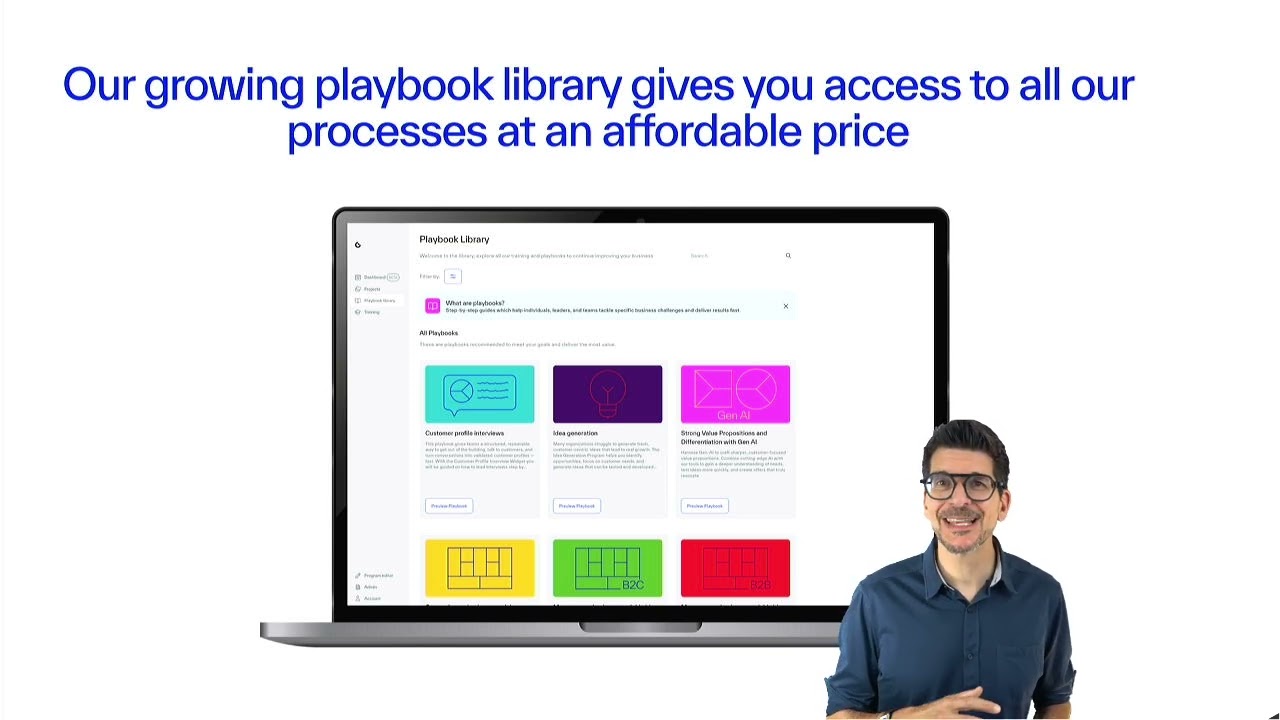
the moment. As Alex said, I'm hoping there'll be uh you know, a lot more, you know, 30 or or more by the end of the year. Um but we're releasing them on a reasonably regular cadence. We're getting several out a month. Um so, uh that's great news. Um then also I wanted to draw attention to this coming soon section, which is almost like a bit of a built-in road map. So these are the ones that we are working on right now that will very shortly be um available playbooks and you can actually uh even preview those ones and see uh what's coming down the line there. If you're looking to run a workshop um with playbooks for whether you're doing it for your own team internally or whether you are doing it as a consultant for uh for one of your client teams, you will probably have a sense of the tool that you want to use. And actually we have this search bar up here which is quite powerful for saying right I want to look at uh the business model uh canvas for example and I've typed in business mo and now you can see um all of the playbooks that we have on the business model today. Uh similarly uh you know if you wanted to go value prop uh you would see all of the value proposition you know it's quite powerful for just filtering down what it is you want to see. We also have this filter menu. Um, so one of the things that will constrain you when you're designing a workshop is how much time do I have for it? Do I need to make an impact in the first hour or two? Have I got buy in for a longer set of workshops or sessions, maybe a half day workshop or the like? Um, or do I perhaps have a sort of longer term engagement, a longerterm project um, happening here. So you'll be able to filter by size. Um, this expert level one I think is worth drawing attention to as It's quite nifty um because uh some of the feedback that we got very early um we we've launched a sort of a real MVP on this one, you know, we've done the good product work of shipping something early and getting lots of feedback. The feedback we got um uh quite consistently was either oh I'm a I'm an expert, I don't need these beginner playbooks, or I'm a beginner and I don't need these expert playbooks, right? Um and invariably as came out in the mentee, you will be um addressing teams that have a mixed understanding of the concepts um that you're going through. So you might be talking to a team who really understands the business model canvas, uses it day in day out. You might be talking to a team that's never heard of it before, a team of leaders that you're trying to, you know, um get on board with uh I don't know, some strategic thinking of some kind or another. And so we have this beginner or expert model here. So for the team of leaders, you would probably who aren't familiar with the business model canvas, you would go for beginner. And that would take them on a preamble uh through some of the concepts first before um landing um in the sessions. If you're talking to people who really know the business model canvas, they've read the books, then you want to get straight to the point, you might jump straight into mapping out your your business model, right? Um, and so I'll actually use that as an example right now. So if we go right, I want to run a business model workshop. Uh, I have uh not got wide buying or I'm trying to make an impact with my new client or whatever it else it may be. I've got one hour in which to do it. Right. Okay. It looks like this. Map out your business model with BTOC examples cuz the B2B one isn't out yet, but it's coming. Uh, is is the one for me. I can then go in and I preview the playbook. Um, we have a video here from uh from my colleague Kurt who will talk you through uh exactly what this playbook is about. Um, you've got the outcomes that you'll be looking to achieve. Um, and uh and you know uh a bit of an overview of the kind of thing uh that it is. Uh you can then run the playbook from here. So I'll create a project name. I'll call it uh BMC123. Uh the playbook is pre-selected here. Um, we have to wait a moment for everything to render inside uh the playbook, but then it should appear here on my project screen. Um, there we are. BMC 123. Um, so today um each playbook apply applied um uh means you need to create a new project. But that is about to change. We'll have more about that later um when Eli takes us through some of the road map. Um, but when I click in, uh, you can see the stuff that Alex was talking about here. So, this is one of those short, um, uh, playbooks that's really designed for immediate impact, um, in any given session. Uh, so we have the e-learning here. Um, so if we go to get started here, a modal pops out. Um, we have some e-learning that we can go through. Uh, and then we have the workspace activities themselves, right? So again, you can click into these and we have the preloaded preconfigured um activities ready to go. Uh so if I just go back to my project home again, you might uh at this point choose talking to that problem of making sure that people understand key concepts before we get into the room. You can invite a group of people to this project today. Uh you do that by doing this. Um if the easiest way click on the settings wheel go to members and again today request seats but that's another thing that is about to change and again uh more on that later. Um but once we have um your your seats bought and your um invites uh assigned you can uh those people can will land directly into this project page and you can invite them to I don't know complete um the e-learning in advance of coming into the session uh for example uh so that we're all getting in on the uh on the same page but you know as a as a recent uh well as a consultant myself right um I uh you know what really talks to me here is uh rather than copy pasting um time and time again uh big mirro boards uh or having to really think about right okay so what do we want to get out of this session how am I going to reduce blah etc. In this case, it's preconfigured. The exercises are pre-built for you. All I need to do is invite people into this project. Uh, and we're pretty much good to go, right? So, it's a great relief. And we know that, you know, um this stuff has been designed by experts like Alex and uh like Kurt and others at Strategizer, right? So, it's um yeah, it's powerful stuff. Um so, that was how you choose and use um the right playbook. — Okay. So um as I mentioned at the beginning um so I think at least one of you were felt misled that saying oh is this a sales um pitch well we're you know showcasing and I don't think we hid that. So anybody who feels like they're misled tell us how we could have done better to make clear that this is a showcase and not a learning webinar. So um some of you also reached out for some couple of questions. um sign up at the end for us to contact you. Some of you were asking for special offers for education, etc. So, we'll launch that poll at the end. But, uh what I want to do first is actually uh go to our next mentee so we can learn more from you. Um, if you could, would you give your team or a client access to the Strategizer playbook library? So, we have a couple of answers there. I already gave them access. Yes, immediately. Yes, but I'd control which playbooks they use. No, I prefer to design and run workshops myself, which is very legitimate. I'd need to check with my organization first. Right? So, we're dealing with a lot of corporate IT departments. It's not the funnest part of work, but um yeah, we have some big clients that approved our platform. Okay, so wonderful to see and really you know what we want to do more in the product showcases. So uh one of you Udit was actually asking can I use these um in my work and yeah that's exactly the what we want to make accessible is that you can use our playbooks with your clients and Judith had an interesting case in the chat right that she was focusing on quite a lot of AI uh content for executive leaders if I remember correctly you can mix that with some of our playbooks so don't hesitate to kind of reach out. We want to do some product showcase on in particular how coaches can do this on their own afterwards. Okay. So, interesting. So, today our library is full access. You buy one access, you get all the playbooks. Some of you are saying you wouldn't want actually to make all playbooks accessible, which is very interesting for us to learn. uh maybe there's a feature there to uh make specific which playbooks you your clients can access. Okay. So, one of the things I wanted to show is going into um the third part um where Ash is going to Ashley's going to show you a couple of features, but I want to show you one first back to how we used it. So there is some learning because actually it's really interesting how we work with these tools and how we try to make everything digital in a very specific way. So, I showed you how we used this at Honeywell and that we um moved towards a one-day workshop, but they did everything before on the strategizer platform. And in the opening, I told you that we work like every visual object here is actually not a visual object. It's a data object, a data asset. We call these assets. And what you see here, I'm going to pick one uh one that's very common is customer profiles. So if you want to build software, you want to have not just visual things, you want to actually reuse this as a data object. So this particular customer profile that the teams did in the pre-work, they reused it in several spaces. And what's interesting is the data object uh updates everywhere. So one workspace, one visual workspace was at the beginning where they mapped their customer profile on their own after watching a video on the concept. Then
Reusable workspace assets
they came into the workshop and in the workshop we reused this asset a couple of times. The first time and I'll show you this on the platform afterwards was mainly to zoom into the key jobs pains and gains of that customer profile. But what's interesting is the object that they created here is reused in this second exercise. So it's almost like you constantly reuse these objects. Then they went to the next step and next um exercise in the timeline. Here it was about mapping out the value proposition and the differentiation. So of course you need to know which customer you're addressing when you map out the value proposition. So he'd reuse the same asset and then they prepared for their first presentation. Overall they did a lot more and they had a final presentation. But I'm just going to show you how these data objects actually are reused. So if I click here, it'll bring me to uh this demo project. So these are the steps. This was pregross symposium. So um I showed a video um introduced them to what we're going to do was done in a hotel room here. So not the most uh high production value like in our in our showcase uh in our um library. But then they did the first here exercise was a customer ecosystem map. But the one I wanted to show you was not the ecosystem map. It was the customer profile. So first workspace where they actually did the first work. So mapping out their customer profile. They could use AI to do it or they could simply add sticky notes. Here I put one get work done. Um, let me say run a product showcase kind of as the second job to be done. Now, if this was just a visual object, not that interesting, but the fact that I can reuse this. So, if I go back, if I go back here to my uh timeline, so I had a first one which was customer profile, then they have to do all these other things, but then they come to the workshop. So, these are all steps pre-workshop. Now we come to the growth symposium. I'm running the thing. But here in the gross symposium there are now exercises where we have additional work. Here is the customer jobs pains and gains and customer evidence. So what it does we're now in a different workspace. This was the one that they uh sorry this is the new one. This is the one that I showed you where we started in pre-work. In this workspace, it automate automatically picks up what I put here and I have an exercise where I need to do more work, but it's the same data object and that's really cool because it allows you to keep workspaces super light. People don't get lost. Very, very powerful. So, now let me show you after they actually did that. They needed to work on their first here pitch. Okay. So, pitch number one and you can see in pitch number one um I have as a reference the customer profile. I have the exercise the stuff that they did in the um works workspace before. But now what we didn't see is oh did it update or was it just always here. So if I go back to the exercise I had before which was map my customer profile that was the pre-work or the customer jobs pains and gains if I had changed anything here. So um misleading people uh that they believe it's actually not a uh showcase that we're you know demoing actually our products that updates in all other workspaces as well. So that's very powerful because it means you can design the whole thing in a way that people never get lost and you reuse the objects. This is something we designed. Ash will show you how you can actually do that in your own uh workspaces where you can pull in objects. So we wanted to get a little bit technical because there's an art to designing really good playbooks where people never get lost in these crazy big workspaces. So over to you Ash to maybe uh show how people can use um these reusable um assets within their projects. Thanks again um Alex. Uh so uh I've uploaded a um a different playbook here. Uh and I'm going to take us through uh some of the features um that I think are um are pretty good and pretty useful. And actually uh as Alex said sort of reiterate the point on the reusable assets. So you can see um here I've loaded strong value propositions and differentiation with Gen AI. Um this is one of the longer playbooks. So this is a 3 to six hour one. You can see this might be run over multiple sessions or over the course of a um of a morning um or a day. Um but I am uh first of all uh going to um jump into uh map your first uh profile uh with AI. So you can see here uh this is I guess the activity um that your team uh or the team that you're working with would land in if you were running um this playbook. Now we've actually um built uh what we call AI builder into the customer profile uh canvas uh to sort of prevent that blank canvas uh issue that you have where people are all looking around um not knowing what to do uh with um uh a particular you know three pieces of pie that we sit here right so um this works uh in the following way. So if we type customer jobs um we can generate jobs with AI. We need to type in an idea. Uh so let's go for software uh
AI features and examples
software platform uh for bringing cons grade processes to forgive my typingmemes and let's callmemes uh the segment confirm uh we'll have a mix of job kinds and then obviously as it says here these are beta features uh right but it will then spit out a series of stickies um that sit on the canvas and then uh you can go through and you can um accept them. You might say uh roll the dice again. Let's have another go. What else have you got for me? Um uh accept. Um you can edit uh delete obviously. And you can go around and do these uh for each of um each of your jobs pains and gains. And I'm going to go around and do uh all of them. Um uh just so I can give you an example here of uh the next AI feature that I wanted to show. Uh but let's get round and just I'll quickly um do this and let me delete these others. Let me delete this one because it won't like there being halfbaked ones there. But let's say we've got a basic customer profile here. Um what might we do with it next? Well, we actually have something here called mini coach um which will then look at your stickies and we'll uh make uh I guess insightful uh comments around how you might um refine your ideas. Again, it's working away in the background looking at your jobs pains and gains. Uh ah and here we go. Look, we've got some here. I wonder how your customers might feel about the current state of team collaboration and communication. So again, this is one of those tools where we're trying to uh build some facilitation into the feature um itself and we're trying to unlock and speed up teams um fundamentally. Um now as uh Alex uh has already pointed out this then becomes useful later on uh when we are looking at gathering customer insights. Um, and in this uh particular um uh workspace activity, we run what are called customer profile interviews. Um uh and I'll show an example of what these are uh below. But we've actually built a feature here called the customer profile widget. Um, which is where again we're trying to do some of the heavy lifting and make running these quite involved, quite complex interviews uh much more easy uh and much simpler for teams to do uh with a widget. Um, and so the first thing that you do uh when you're getting started is select a customer profile. So if I go back to my first customer profile v1, we can then see that this customer profile is down here in um the uh the customer profile interview widget. um ready to use. And in this kind of interview, you use the profile itself as a prompt to have the conversation with your interviewe around what their jobs pains and gains actually are. Um I won't go any further on the demo in this feature because um that wasn't the point today. Um but yeah, it's just an example again of where we are investing in features to speed teams up and to try and um make the work uh that we believe is is the right way to do the work um a strategizer. Um, so that was AI builder, AI mini coach, and a quick look at the customer interview. Um, which the other thing that I wanted to include because I I run a lot of customer interviews with uh people who um have bought uh this early on. And um uh they're always asking uh you know, okay, that's great. Love the playbooks. How can I customize it? How can I adapt? How can I enrich it based on the context that I'm seeing today? Uh so we have here um uh the ability to add your own workspaces in here. So I'll just do this very quickly. Uh create my own workspace. Um now we obviously have a whole load of canvases. Uh so this is a blank workspace if you like uh from Strategizer. Sorry my zoom ribbons are getting in the way everywhere. Uh so we have um here uh a Oh god, it's still in the way. Sorry. There we go. Right. Uh so on this menu here, you can find all of the canvases uh that we currently do in the platform uh within a workspace. Right. And you can use these in any workspace that you like. Um much the same way as uh you might do with a miro or a mural or one of those tools, right? But we have here what's called a custom canvas. So, if you want to use uh a kind of canvas that isn't here, you can create a custom canvas. I'm a uh I am a product manager, so I'm always uh talking about um customer journey maps, right? Okay. Uh there we go. So, now you can then obviously reshape this. Um, crucially, you can write on it like uh my uh CJM. You can put stickies on it. Um, let's grab a sticky here. Uh, so, you know, and you can obviously, let's imagine that we've got a bit of a journey map going on here. Blah blah. Uh, maybe in danger of too much blah here, but let me just change these colors quickly. Um, and then this will actually behave like the other canvases. So, now everything is stuck to it. I've created my own canvas and crucially uh this is also now um over here as an asset. Um so what we might typically do as products people is we have a customer journey map but we might want to cross reference it with um the profile that we built earlier perhaps we can bring that in. Uh here's one that I made earlier with Alex as well when we were discussing. So now I can um take my own journey map um look at the customer profile uh interviews and and things that we've done earlier and really bring this all together with these um with these living artifacts. So that was just another example I think of how the reusable assets are um are super powerful uh particularly when you want to sort of customize and work on your own stuff. Crucially your customer journey map is also now in there as an asset. So if you go into another workspace you will be able to drag that customer journey map into it. It is now a living breathing asset. Alex. — Yeah. Somebody was just asking Jarma was asking can you download your own canvases or objects. So — yeah. So what I would do for that is you I would create the canvas space because that's what everything sticks to. But then here uh you can add images and you can stick uh so you can upload an image and you can stick that to the canvas and that will uh effectively be your own canvas. If that's if you don't want to then uh to go on and sort of create a version of it yourself. — The question I think is can I download that canvas like — oh yes you can download every single canvas. Um so export PDF export ping uh you can export any of these. uh they're all uh PDF uh or in many cases uh you can export to Excel as well. — Super important, right? Because we see a lot of clients doing the work here and then populating it into presentations with so one of the exceptions is actually that we if you take the Honeywell Growth Symposium I force the teams to present on stage directly from the platform because as soon as they get into slides they use font 3. 2 and nothing's clear. they follow our structure. Things are very clear. — Okay. Um, cool. I've gone over time a bit there, so I'd like to uh move it on. Um, if that's okay. — Okay. Let's do a quick poll and then uh has a bit of time. Um, let's just quickly get your input on what would make you use the platform more or if you don't because uh many of you are not subscribed yet or get you to buy access. So, let's just do a quick insight here and then we'll throw it over to Alid. We've been answering quite a few questions in the uh chat a lot around AI. Um, you're speaking my mind. I think AI can do a lot of things, but you know, if I look at what we do with companies like Honeywell with the playbooks, there's not a chance on earth that an LLM is going to replace the playbooks that we run there. And some just need that human facilitation as well. But it's always with. So one of the things we're really bringing in is in the playbooks we ask you to use your LLM of choice for a couple of things and then using the prompts. So some of the features will integrate. are just not our core. We're never going to create a software that builds landing pages. But what we can give you is kind of the templates and prompts from the objects here to do that um in your LLM of choice because they're
Feedback on using the platform
super powerful and we want to benefit from them. Human in the loop is key. I think we will have quite a few playbooks that will show maybe how the human can interact with playbooks. One of the playbooks is uh value props with gen AI. And by the way, a lot this question came up a couple of times. Do you get access to all playbooks? the playbooks that are there today. Small library and it's expanding rapidly with uh Kurt and Latif from the team working with me on creating new playbooks. We just launched one this week, launching another one at the end of the week. So Ashley Olaid, anything surprising that you've seen here in while I was blobly? — No. Again, this particularly the uh the move for shorter, quicker uh impact in a short amount of time playbooks doesn't uh hugely s surprise me and given that we have a lot of um coaches and consultants on the call um the desire to design your own playbooks is great to see as well. It's very validating for the product direction. So thank you everyone — and one of the big ideas is actually you know we were planning to uh write a book on you know worldclass meetings and then doing all of the stuff that we write in a book because books don't work per se but a beautiful marketing tool creating those playbooks um in the playbook library but that's future music um I'll let talk a bit about future of future music over to you — awesome thank you Alex so I'm going to start by sharing my screen. I want to go over a few prototype demos for some of the really cool things we have on the road map and would be coming into the platform very soon. I'm going to start by doing a prototype demo for the seat management and seat allocation feature we have coming soon. I saw a question in the chat asking about how do you bring your teammates to collaborate um with you on your project. So I think this is very useful and in good timing. Now as part of that update or build we are first of all doing a general upgrade to the account section in our platform. We have upgraded the look and feel to match every other part of the platform and so you would be able to make all of your updates seamlessly and easily from here. Now talking specifically about seat management or seat allocation. Ideally when you come into the platform you usually would have an all access plan right and that definitely comes with just one seat and as you go on to interact with the platform learn more and do some work you want to begin to invite your teammates or bring your clients on board. We are working on a
Roadmap product updates
way to easily do that by yourself on the platform. And so if you look to the right on this card, you will see a prompt here that asks if you want to collaborate with a button to purchase more seats. And so you can purchase more seats now by or you would be once we have this in the platform by clicking on this button to purchase more seats which will take you to our checkout page where you can add the amount or number of seats you would like to include in the platform. So for the purpose of this demo, I would be adding two seats. Uh we have 299 per seats. So if I add two seats, the price would be populated there and I can enter my payment details and billing information as I usually would and I would be able to complete the purchase. Now once you complete the purchase, you would be redirected back to the platform here where you can see the now available number of seats. So I have three seats purchased now. One which was my initial seats that came with my plan and two more seats that I have purchased alongside my all access plan. Now once you've purchased the seats, the other aspect of this is how do you allocate the seats to your teammates or your clients, we can now do that directly from the platform through this tab by inviting collaborators. So if I click on this button to invite a collaborator, I would see this model where I can input their email addresses and send them an invitation message. Because I have just two seats available, I'm only able to invite two people. But then again remember you can always add as many seats as possible at any time as possible. Right? So once I send an invite to these people I would be able to see the status of their invites who has accepted the invites or who is still pending and once they have joined my plan. You can now go on to add them to several projects or several parts of um several projects that you would like them to be a part of. So that is an update that is coming soon. It is on the road map and we are actively working on it right now. you would be able to do this on your own. It is self-s serving and fairly um easy to use. So that's one thing we have on the road map. Um the second thing I would like to go over would be the concept of multiple playbooks within a project that we've been talking about. Now right now in the platform you can only have one playbook to one project. Right? So for instance, if you um started off a project and you started off with the custom competing on business models um playbook rather you would need to create another project entirely for you to be able to run a different playbook. Now we are introducing a concept called playbook runs that would let you get the ability to run multiple playbooks within a project. I'm just gonna uh play this from start again. That would let you um have the ability to run a more than one playbook within a project. And so to be able to do that, you would just need to click on this button here, run a new playbook. And then you select the playbook run that you want to use again. So clicking on customer profile interviews playbook. And once I run it, I can see the two playbooks now actively leaving within the same project. And so I don't have to create an entirely new project to be able to run a new playbook. With this feature, you're able to do more than one playbook within the same project, right? We also now have the concept of project workspaces. This is because you now have more than one playbook, right, within the project. And so you are able to see all of the various workspaces for each of those individual playbooks. So we have the customer profile interview workspaces here. We have the competing and business models workspaces here. You can also create your own workspaces as you go through your workflow. We still have the ability to do that here um as seamlessly as possible. So if I go back to playbook runs and I click into um a playbook, we still have the same um visualization that you're used to. We have the guide here and we also now have a concept called playbook workspaces which are showing the workspaces that are specific to that particular playbook front that you have clicked on. And those are the updates that we are currently pushing out on the road map. Uh we're very excited to have this to you soon and we of course look forward to hearing your feedback and your thoughts once you get to use this updates. So yeah, thank you. — Yeah, to um just to add there because it's coming up in um in several uh of the questions here. So the permissions boundary on the platform is the project. So people will only be able to see uh the things in the projects that they are invited to. Um the project is also useful because the assets that we were talking about earlier you know the reusable assets they also belong to the project level. So if you like the playbook is a guidance layer that sits on top of the uh of the project and so um you may want different kinds of playbook for different points in any given project which you know goes on longer than one particular playbook. So we think that's a really particularly when we move to this world of shorter you know if you want to run several different workshops with the same client the same team then uh that feature that Eli just um described there will really unlock that as um as a sort of possibility. So quite a few Q& A uh questions here. We have a couple more minutes but let's launch also uh the poll where we said you can uh ask us to reach out. So Jerry, maybe you can just run that. We also always have people who want to know more, want to talk to our sales team about um accompanying you with the
Q and A and answers
playbooks or so. So um questions while that poll is up. Um a couple were asking what was that? I saw one that I wanted to answer. Can we get a playbook's instruction manual? So playbooks are already to a certain extent an instruction manual, right? Because it's step by step that we walk you through. I do think we should have a product showcase on how uh coaches and consultants can use these playbooks. So that could be an interesting um construction manual. Ron is asking how long can participants work in a project? Well, as long as you or they pay their licenses, right? So it's per seat. So that could be forever. That's up to you to decide. And uh we just saw from OAI the kind of the seat management a more sophisticated version is coming because today you need to ask sales that obviously needs to be automated. Um but there's some uh historical reasons for why seats were not available before. Any other questions? uh Ashley or — there was a really good one uh pointing out that we should uh have an onboarding uh playbook and it is uh it is high on my to-do list and so I'm anticipating that it will be ready uh I don't know uh maybe by the uh the by the end of May let's say let's give myself a bit of time but absolutely I agree entirely that should be a playbook that you can come on and actually use some of the features and get familiar with them um uh before using this with your team or with your client. — Excellent. Um why don't we also launch the Sean Ellis Paul like this normally is more for a content webinar but uh this was a product showcase so slightly different. Um we'd love to just hear your feedback on that but specifically remember it was a product showcase. So, don't kill us on the fact that we're promoting or showing what we're doing because that's actually what this is about. We're pretty proud of what's coming. Um, we didn't talk about the upcoming playbook. So, somebody was asking about assessing ideas. So, Kurt, one of our team, brilliant team members, is actually working on a playbook uh to score your ideas. What's the evidence that supports your idea? It's in the making. Um, almost there. Um, I still owe one or two playbooks to a couple of people, so that should be coming. Um, annual subscription cost for the off the website per version is that $300 per seat. So, you get access, I'll remind everybody, to all playbooks. I think that's the thing we wanted to really make possible. Democratization of everything we do at a affordable price. So, if you bring on three team members and cost you less than $1,000, so less than probably it costs you know to do a business meeting or an offsite. And honestly, I think my personal feeling here, obviously not objective, but I think this is 100x the impact of what we've done with books. Um, I'm pretty proud of the books we created, but I'm extremely proud of where we're going with the playbooks. I literally believe this is 100x the impact in terms of getting to results. Okay, so my take on that. Um any last questions that came up while I was blah blah? — There was one um around uh access to data for machine learning and the like. So we don't have um open APIs or the like today. uh it's not something that we're immediately u investing in but clearly in any sort of agentic future um we will be uh upping our game on that front but it's not an immediate priority. — Yeah, there's a lot of ideas. I mean, the strength of what we're doing is structuring the data, but when you have a relatively small product team, you can't realize all of the ideas that you have. Right? The hard part about product management is not the ideas. It's the sequence of what um you're doing to create value for some of your customers. Unfortunately, not for all. With that, um thanks for participating. We had an awesome turnout. We're super happy. We'll do more of these showcases. Um, seeing that there were a lot of cons consultants and coaches, I do think a showcase on how coaches and consultants can use the playbooks already today would be a great idea. And then further down the road, we do want coaches to be able to design their own playbooks, but that's really future music. That's uh probably end of the year. I'll see Ashley. I don't want to get him kind of the sweat here. Awesome. Thank you very much Ashley and Oliday for co-hosting with me. Thanks everybody for joining and see you at the next showcase. — Bye guys. Bye — bye.