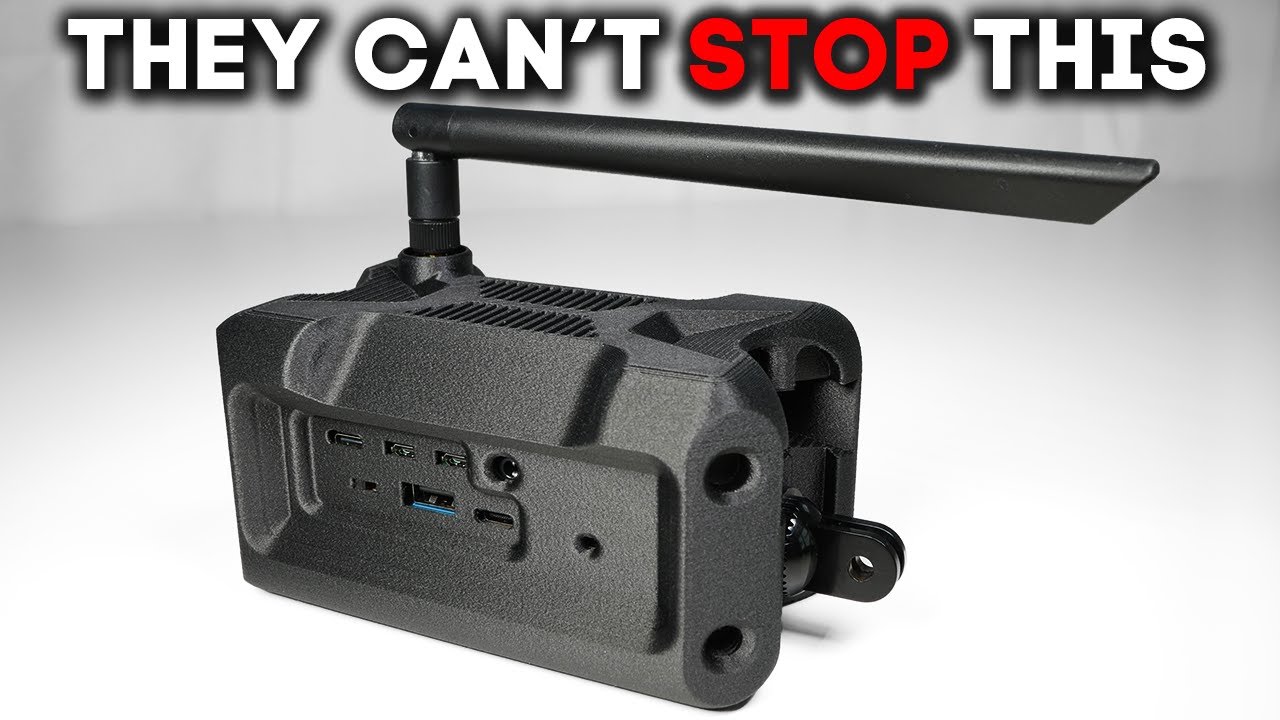
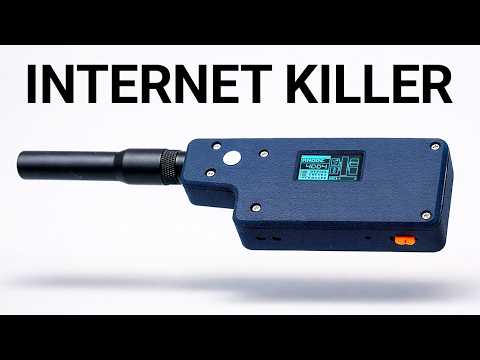
Today marks the beginning of a new chapter in wireless because long range radio Laura just outgrew text messages. This is dualband Laura. The same subgghahz radio we already know and trust. Now expanded into a new kind of Laura, a parallel 2. 4 GHz Laura band. And that combination changes what Laura can do. more bandwidth, more flexibility, entire capabilities that simply weren't possible before. Which is why the wildly popular open- source mesh networking project Meshtastic has quietly started pushing past basic text and GPS and ventured into voice. This is going to be big. Now, Simon over at Muzy Works hinted at this project to me more than a year and a half ago, and I've been waiting patiently since then. And luckily, patience is a virtue, and good things do indeed come to those who wait. And it is finally here. And once you start inspecting this board, you'll quickly pick up on the fact that this isn't just a retrofitted Allura board or some gray market module pulled from some Chinese IoT tech stack, but rather an entire ecosystem of chips intentionally engineered to elevate Laura as a first class citizen in the modern radio tech stack. So, here's what we're going to do. I'm going to break down what these boards actually are. Then we're going to use Meshtastic's new 2. 4 GHz support and the early voice work to see what this really unlocks. So, this is a family of boards called bass boards if you will. You've got the bass uno and the bass duo. Almost identical at first glance, except the duo adds 2. 4 GHz Laura on top of the sub gigahertz radio. Then there's the Super IO. It's the first IO board in the base system and it turns the base into a fully portable standalone device with a whole new set of capabilities. The easiest way to think about base is as a modular platform with a growing lineup of IO boards and accessories like solar panels and batteries designed to be hacked, modified, and extended very much in the spirit of Raspberry Pi or Arduino. What I really like is that these boards fix a lot of the small annoyances people run into with existing dev boards. You get proper solar charging with a much more capable charge controller that accepts a wider input voltage and can deliver up to 1 amp. There's native life PO4 support, fast charging, dedicated power IO, a quick connector for off-the-shelf sensors, and real safety protections built in. And there's more coming. There's an enclosed portable device in the works based on the Supra IO with a fully open-source 3D printed design. Step files will be released so you can print it, modify it, and make it your own. The reason I want to start with this is because this is the board that has the new 2. 4 GHz uh lower radio. So, we'll just skip right to that. So, what we get in this package here is going to be the board itself. There's an onboard SMA connector with some washers and a screw. We're going to get a uh sub gigahertz uh pigtail antenna that would go right on here. SMA connection. And we are also going to get a U. FL IPEX coaxial connector here. And we will get a 2. 4 GHz Laura PCB antenna that we can use for that. Um 2. 4 4 GHz Laura. Uh we're also going to get a little bit of hardware here. So, we're going to get uh three um socket head M2 screws um in case we want to attach this to an enclosure or put it onto the Super IO extension board. And then we're also going to get a socket key here that fits into those. Um, but the thing is we actually don't need to add anything to this board. Um, it's kind of ready to go as is. Obviously, there's no screen, so we'll be running it headless, but um, we can run it like this and start meshing with Meshtastic. Um, all we need to do is first flash, uh, the Meshtastic firmware onto this. So, let's do that real quick. So, uh, I'm going to make sure that I have both my radio antennas connected, um, just so that, um, that radiation, if it gets emitted, has somewhere to go and doesn't get reflected back onto the board and damage any of the components. Typically, it's not a big deal, but, um, just best practice to kind of keep those on like that. Um, so all we have to do is, um, connect to our computer uh, over USBC. So, that's on the back of the board
Segment 2 (05:00 - 10:00)
here. And then we're going to go over in any Chromebased browser uh because we need that USB serial API. So it could be um it could be Chrome or Edge or what have you. Uh we're going to go to flasher. m meshtastic. org. So we see it powering on here. Let me flip that around. Um so we see that green LED and we're going to go to select target device. We're going to go over to muzzy works. We're going to select the base duo/o. I'm latest alpha, which might be buggy, but I also want the latest stuff that's going to contain uh the upgrades around voice and uh 2. 4. And then we're going to go to flash. And then this uh there's two different types of chipsets. Um and they use different types of flashing. One you can like flash directly to the chip and then the other you have to use this kind of drag and drop virtual thumb drive approach. That's what this board uses. So, to get it to show up as one of those thumb drives, um, we have to put it into DFU mode. We select the serial device like that, and we can check to see if it showed up. There it is. Muzzy base. Um, that can be a little buggy. You might have to do it a couple times, but um, it will eventually work. So, don't sweat it if it doesn't work on the first go. And then what you do is you literally download the firmware and we can open that in a folder here. and you just drag it onto the quote unquote thumb drive, which is the actual device. So, I drag this over to here, and then we'll see it flash. We'll know it's done because uh the device will uh remove uh it'll eject the device automatically. So, I think we're actually good. Um let's go ahead and um disconnect from the computer. So, this should now have u meshtastic on it. And so we're going to drive it from, you can do it either from a web browser, client. mmeshtastic. org, or you can do it from the Android app or the iOS app. Uh I'll do one on Android, one on iOS. Um so that we can start chatting between the two. Um but we do need to power this guy. Now, we could power it with like USBC, um solar. There's actually a bunch of different options, but let's use our new 1500 uh milliamp hour lipo. Uh it has a JST connection. I'm going to go ahead and plug that in right here. So, let's see. That goes like that. And then we should see some LED activity. We do. Okay. So, now we just go over to Meshtastic. We're going to go to the Well, we don't even have to. We would go to the connect section normally, and that's where you can connect new nodes, but it already picked up on this device. um because it doesn't have a screen the code at by default is going to be one two three four five six. So we'll go ahead and pair it. Okay. And so we need to select a region. And this is where uh things differ than before. So because we want to use the 2. 4 radio, we're going to go to the bottom of the list here and we're going to see this new option for 2. 4. I'm going to go ahead and click save on that. And then I'm also going to just name this device so that we know which device is doing what. Um, it's going to disconnect because it's resetting. Saving that configuration over the air, but should [clears throat] reboot, reconnect. Okay, there it is. So, I'm also going to go to settings. I'm going to go to user and I'm just going to call this um Duo one. That'll be the long name. That'll be the short name as well. And then once we have another node, it'll be a little bit more legible as to which node we're referring to. So, um, same deal. Anytime you save, um, a change, it's going to, uh, restart real quick. All right. And then, uh, we should be good to go. Let's just inspect our node real quick. So, we're going to go to settings. We're going to go to Laura. We see 2. 4 GHz. Um, and then we see our transmit power, some of the frequency information. So now what we're going to want to do is just set up our second node, and then we'll get um the two talking to each other. Okay. So now on my Android phone, we're just going to pair it with this guy and make sure that we can chat. So I'm going to do go over to the connect section, do a little scan here, and we see this guy. So you can see the exact frequency here. 244. 4688. We can see the transmit power. So, um, let me just go ahead and name this device real quick and then we'll get chatting. So, I'm going to go to user. Oh, DO2. Okay. So, we're already good to go there. Okay. So, now we can go over to uh messages and we should be able to just communicate on the primary channel here. So, I'm going to say testing.
Segment 3 (10:00 - 15:00)
All right. And we have a message coming across right there. And we can also see some stats about the uh signal strength. You can also see the signal strength stats if you go to the node and it's a little bit different on the iPhone app and the Android app, but um on the Android app, you can see it in the node list. So we can see the signal to noise ratio as well as the RSI. And then right here on the iPhone, we can also see a signal to noise ratio and an RSI. And um we can prove I guess that the 2. 4 antennas are working by perhaps removing one of the antennas and seeing how those stats change. So the SNR right now is 6. 25. The RSSI is -33. So if I just remove the 2. 4 four antenna we would expect RSSI to like a lower negative number and for SNR to go down should go to like negative I don't know 60 or 70 and SNR should go closer to zero I believe um might take a second to refresh right here well we can already see I think it over here RSSI now is 95 that's a lot closer to the noise floor than um than it was before, but I'm curious if it can update on this side as well. One of the cool things about Laura and where it deviates from something like um Wi-Fi is that it can actually operate um below the noise floor, which is crazy. Um I don't know all the details about that, but suffice to say, it's more sensitive. Um which gives you more margin to work with in terms of signal. So anyways, I see 95 over here. I don't see anything updating here yet. Not 100% sure why, but let's go ahead and attach this antenna and see if I don't see that metric change. Right. So, it was negative 95. Uh I don't know what the refresh rate is on all this, but I do expect that to improve. And we might have to send a message to get that to uh Oh, well, no, we already see improve. It just went from 95 to -21. So, the point is these PCB antennas are driving that signal as expected. Um, now there's a lot of cool stuff that I want to get into in terms of not using just PCB antennas. Um, I did some initial testing and I don't know if I'm going to be able to get it all in this video, but I basically found that these PCB antennas are pretty good actually. Um, because I compared them to more traditional like dipole style antennas. We could even get a lot more exotic with it. Um, in terms of like left hand, right hand circular polarized antennas. These are um linearly polarized. I would like to really see what kind of um improvements we could get with different types of antennas, but -20 is not bad and for Laura, it's kind of plenty. But anyways, before we get into antenna optimization, why don't we look at range because I think that's probably what people are interested in. So, I'll take one of these nodes and maybe go to a different room in my house and uh and see what we get. And then maybe I'll go outside my house and see what we get as well. Okay. So, I have a range test set up between these two devices. So, um messages are sent being sent every 30 seconds back and forth uh in a sequenced fashion. And so, I'm going to take one of these nodes and we'll be able to see um if messages continue to be sent to each other. Okay. So, we are getting messages sequence six from our other node. So, let's go ahead and take this with us and see what happens. And also, we should be able to look at the signal strength as we go. Um, let's see. Like right here, we have we see RSSI -60. All right. Looks like it disconnected for a second there, but we're still getting messages. Let's see. Yep. Sequence 9. Sequence 10. So, let's go even further. Okay, still getting messages. Let's see if we can go. Okay, so we are outside still getting messages. We can take a look at the RSSI 108. So, it's kind of poor, but it still says signal is good. And we are still getting messages here. So, let's keep going. Still getting messages, which is nice. See how far still says signal's good.
Segment 4 (15:00 - 20:00)
Okay, still getting messages. So, one thing to note is that other node is inside my house. And my house is a concrete or rather cement concrete brick house. So, it's penetrating right through that. And that's not an ideal setup. You would want that base node to be in open air, but I just wanted to get this out quick. Ooh, now we're in a negative SNR, but interestingly, still getting messages. And that's one of the cool things about Laura is just what it can do with so little. We are -12 RSSI -2. 75 SNR. Um, and I'm not getting any messages. Our last one was negative or sequence 20. Well, no, we just got sequence 28. So, we're going to keep going. All right. So, now that signal is starting to degrade a little bit. If we go to nodes, we can see it says fair, but I think it's still usable. Yeah, we just got sequence 30. So, we're still getting messages. Let's keep going. All right, last message was sequence 30. [gasps] Oh, we just got 32. See what else we got. Okay, sequence 38. And we are still walking. Come on. See if we get any more. Still says we have a fair signal. All right. Sequence 38. Oop. Sequence 42. Put it on the map. Sequence 44. We're at the edge of the property here. And uh we're still getting messages. So, all right. So now we are way beyond and just seeing if we get anything left 20 still says signal fair. See if we get any messages out here. I'm thinking probably not that. All right. So, -20 SNR, -16 RSI. Still says fair signal, which is interesting. Um, but we're not getting any messages, so I think we're probably done here, but let's see. Keep pushing it. See if we can get anything to come through here. Okay, so we just finished our range test and we were continuing to get messages at a/4 mile distance. Now, I'm actually really impressed with this. A couple things. One is we're using these stock PCB antennas, so really nothing fancy. There's a lot more that you could do in terms of like dipoles, circularly polarized antennas, high gain antennas, directional antennas, etc. But even with these um stock PCB antennas, uh we were getting really good signal strengths. Number two, the base node I left here on my desk and I'm in a cement brick house. So that is not ideal because there's quite a bit of dense material that signal immediately needs to penetrate before it can even propagate out to where um I was walking with the second node. Now, we know that sub gigahertz is pretty good at penetration, but wasn't really clear how 2. 4 before would handle that. And uh the reality is, you know, it felt a lot like traditional Laura. Actually, the rules for typical Wi-Fi don't apply to Laura because Laura is its own modulation technique. It's that chirp spectrum approach. And it can do interesting things like it can operate below the noise floor. It can operate with negative signal to noise ratio. Those are things that traditional Wi-Fi just can't do. And you see it show up the utility that you get when you're out in the field. I mean, it just works even when the signal strength is incredibly low. So, uh, if I were to like properly mount the base node, uh, maybe not obstructed by a shield, give it a little bit of elevation, maybe give it a proper antenna, maybe set up an actual mesh network. I mean, I just think 2. 4 has a lot of potential. Now, we were just sending text messages. We weren't doing crazy uh, high data rate activities like voice or video, but um, I was really impressed with the range that we were getting with 2. 4. So, just another tool in our arsenal. Incredibly promising, and there's a lot more to this ecosystem, but it's really cool to see Laura make its way into a global band like 2. 4 that's completely unlicensed. All right, and then before we wrap up the video, we have the Super IO. Um, and this is kind of an extension board that works with the base system. And I believe what it does is just introduces kind of all the peripherals
Segment 5 (20:00 - 22:00)
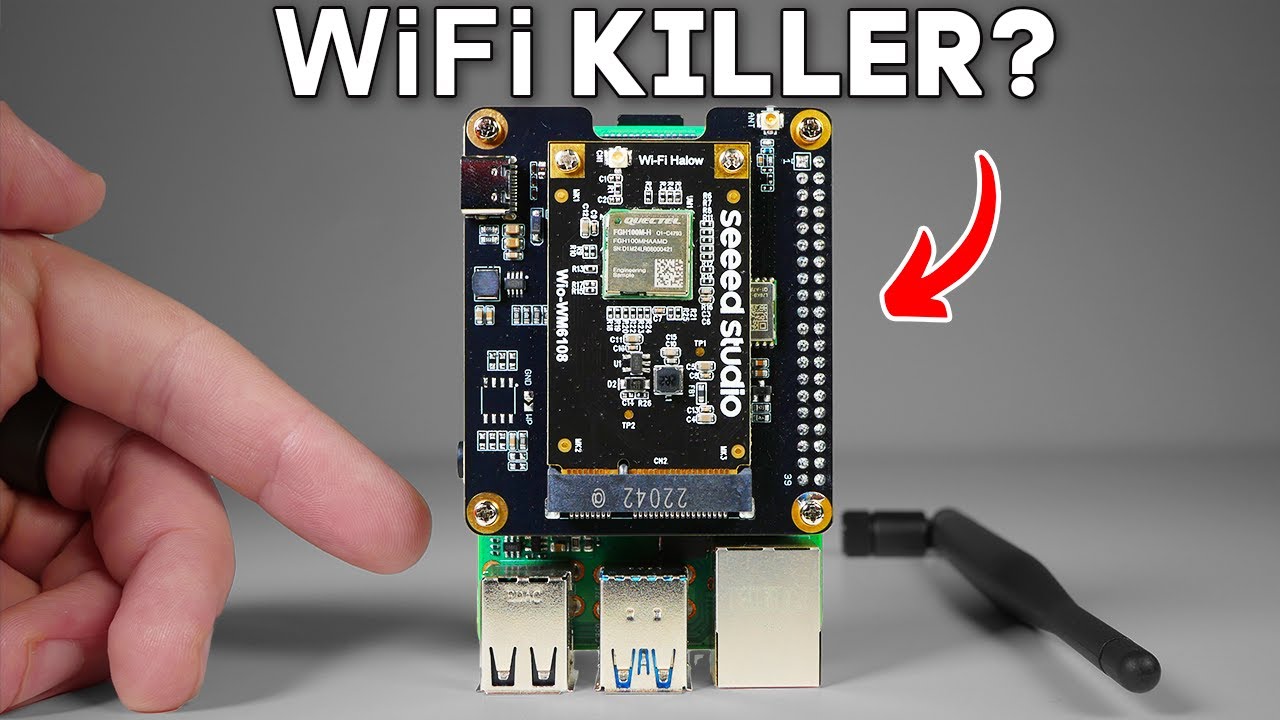
that you might want. Um, so you can see right here there's a screen, there's a ceramic GPS antenna right there. Um, we have a couple different modes that we can select. We have six different buttons here. Don't ask me what they all do cuz I'm not 100% sure. But um at a high level, if I take um say the battery off of this real quick, um I think what it's designed to do is to house these baseboards like so. Uh and you can see that all the pins line up um pretty much perfectly and you get um you know just the extended functionality. Muzy Works is going to release an all-in-one fully complete uh design based on this system, but um it's modular. You can mix and match. You can create, you know, any sort of uh Laura offgrid node combinations that you might want. And we have a real uh platform by which to do that now, which I just think is incredibly exciting. So, the next thing I want to test is um putting some proper 2. 4 four antennas on here and seeing if that really increases range. Might have to wait until a later point for that test. But, you know, this is just super exciting. I know I do a lot of stuff with Wi-Fi Halo, which is also like the sub gigahertz range. But, I do think that these technologies are complimentary. Uh, Laura and Wi-Fi are entirely different protocols. They have different characteristics. I do think Laura is the king of range. Uh, I think this 2. 4 for test continues to prove that but Halo is full IP networking so um it can support all your enduser apps uh whereas Laura is its own protocol port for different apps needs to be built out with that in mind and what's so exciting is that these boards are fairly agnostic and don't lock you in we can flash meshtastic and get meshing or port them over to a popular fork if that scratches our itch even better we can even turn them into nodes running trustless comm stacks like Reticulum, which is something I've personally already got in the works. Regardless of which way you go, I love to see decentralized projects running inexpensive tech you can own, tamper with, extend, and augment in any way you see fit. And with the pace of developments that I'm seeing, it looks like Moore's law is alive and well, at least in the open-source world. For more, click