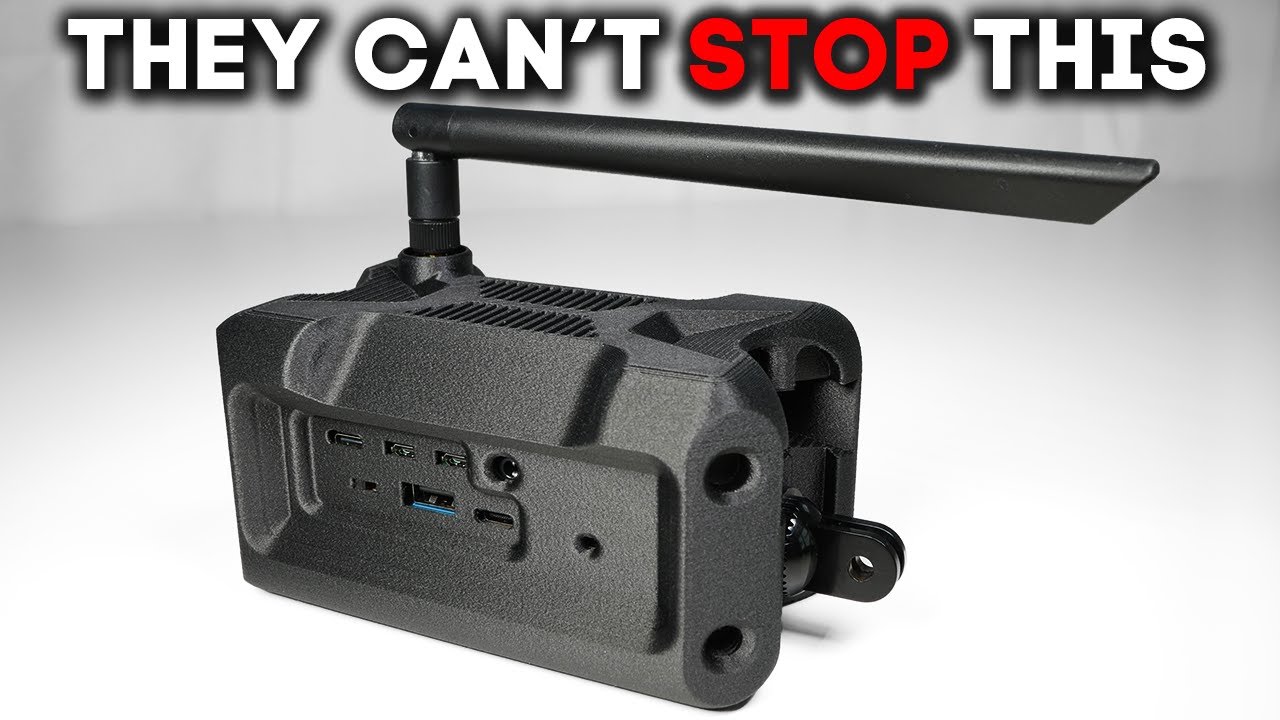
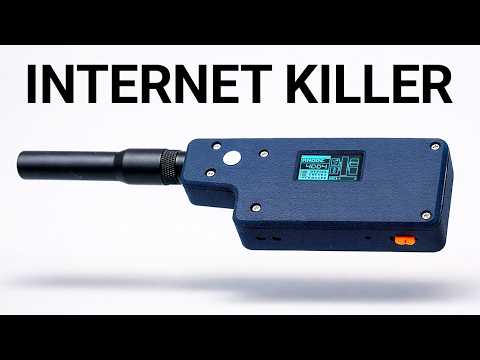
The radio scene is going through a bit of a renaissance right now, and I'm here for it. But this isn't your grandpa's ham setup, and it's definitely not a walkietalkie. This is the Mesh Pocket, a sleek little device that might just be the next step in the evolution of radio. And it doesn't just power your phone, it builds its own decentralized network without towers, Wi-Fi, or monthly subscription fees. Can your phone say the same thing? But what excites me the most isn't the hardware. It's actually the people who are using it to track loved ones, to stay connected off-rid, to build networks for their teams without contracts or any sort of gatekeepers. Just creating a signal, a network and utility where it matters. And if The Last of Us has taught us anything, it's that systems fail. But it's human ingenuity and the will to adapt that ultimately carries the day. So today we're going to see what this little thing can really do. How far it can reach, how long it can last. We'll start in my apartment and move through the neighborhood and stretch it across the city. Because when the system breaks, this might be what still works. First, let's take a look at the anatomy of this guy. At the heart of it, we have an nrf52840 chip for Bluetooth low energy and an SX1262 Laura radio. And just quick reminder, guys, that in the Laura space, we have two primary MCU manufacturers. We have ESP32 at the S3, C3, and others. And then we have Nordic. And generally speaking, the ESP32 has more compute, has more memory, but the Nordic is more power efficient, and has lower energy draw. And that's what's in use on the Mesh Pocket. It also has a 2. 13 in e- in display, which is crisp, always on, and just sips power. And it's readable in full sunlight. It charges over USBC or wirelessly thanks to its Qi2 compatibility. It's got a tempered glass face, ABS shell, and magnetic pogo pins on the side for quick firmware updates or flashing custom builds. And this version runs a 5,000 milliamper battery, and the bigger one has a 10,000 milliampere battery. You'll get about 30 to 40 hours of Laura activity or weeks of standby time. It comes preloaded with meshtastic, so it should work right out of the box. Now, we've seen a huge variety of Laura nodes, from self- sustaining solar setups to everyday carry holster devices to car nodes like this cool shark fin. But the power bank style of the Mesh Pocket is something different. With its huge battery reserves and energy efficient display, the Mesh Pocket is built for endurance. Most Laura nodes with screens use standard color LCD OLED or TFT displays. Those look great, don't get me wrong, but they're constantly drawing power just to stay lit and show you information. The Mesh Pocket's E in display is a different story. It only draws energy when you refresh the screen. So, there's no constant power drain, which is pretty wild because even when the device is off, it looks like it's on. It's the same tech that lets Kindles last for weeks on a single charge. And to put it in perspective, my iPhone 15 Pro Max has a battery just over 4,400 milliamp hours. the Mesh Pocket. It packs a 5,000 milliamp hour battery. And it should be noted there's a 10,000 milliampere version. So, if you just left the Mesh Pocket on and connected, you could get about 6 days of active radio use per charge. But if you let it sleep between transmissions, that stretches into weeks or even months. But pure runtime isn't even the main story here because in practice, this thing is designed to supplement your phone riding sidecar piggyback style, lending its G2 charging when you need it. And that realworld setup would probably give you a weekend or even several days completely off-rid. So really, this thing is designed for festivals, camping trips, or any multi-day adventure where you don't want to worry about battery anxiety. Now, without a protruding antenna, it's probably not going to break any records in terms of range. But even walking through Miami, the mesh was available. I was able to send messages. It's more than capable for situations like festivals, group kaying trips, camping, and other relatively close
Segment 2 (05:00 - 09:00)
range group activities. Test one. Inside my apartment, thick walls, concrete, Wi-Fi everywhere. You'd think this would be a nightmare for any radio. So, um, let's send some messages here. And super quick, guys, if you want easy, affordable, and reliable PCB manufacturing, look no further than JLC PCB. With over 19 years of experience, JLC PCB provides reliable, highquality PCB prototyping and assembly services starting from just $2 USD. Ordering is super simple. Just upload your Gerber files and get an instant quote in seconds. Fast, it's straightforward. And for new users, JLCPCB offers an amazing welcome gift, which is $60 in coupons to get you started. And that's not all. Their highquality six layer PCBs are now just $35. Plus, you can claim an extra $30 coupon, making the final price only $5 for a premium six layer PCB. Don't miss out on this opportunity. Click the links below and start building your projects with JLCPCB today. So, this is actually what it looks like when it's turned off. So, it shows my uh truncated hash ID and then it just shows the Meshtastic logo. Um, and let's go ahead and turn this guy on. I'm also going to plug in a USBC cable um just to make sure. I don't know if it's fully charged yet. plugging this in and I'm going to hit the reset button which I think turns it on. Yeah. So, this guy is paired to this Android device. Let me get this going. It's just um on the out of the box channels, so it's long, fast, etc., etc. So, we're connected, right? Because if I go to nodes, we know this is the 2C5 and it says uh connected to radio. Um 2CO5 and you can see that little check there uh in the cloud icon just means connected. Um and we have 2 CO5 connected. So everything looks good there. So this is the this is connected. Um, and if I go over to nodes, we see Miami, and then we see my other node, which I'm going to use for sake of example here. So, this is the H2T and I just want to send some messages from this to this. So, I'm going to go ahead and turn this on. And this guy is connected to my iPhone. So, let me pull up Meshtastic on my iPhone. All right, there it goes. I see it right there. I'm going to get rid of that message. Well, it already says I'm connected, so I think we're pretty much good. Um, again, we see the three nodes. So, now moment of truth would be to just send a message, right? So, why don't I send from here to here? Because then you should see it show up right here. So, let me do that. I'm going to actually like pull this out and try to make it a little bit more visible for you. Let's see. But I also want to keep it charging. So, okay. So, I have that for you. And now on my other device, I'm just going into messages. I'm going into the main channel and I'm just gonna type message. Let's see if it gets through. And there it goes. Basically instant, which is cool. Okay, so that's a message uh from this guy to this guy. Um, and yeah, you can see it on this, but you'd also be able to see it over here in the app. So, like, you know, you don't have to use this um this display if you don't want. But what's cool about this display is you can toggle through some things. See, I can just kind of toggle through these, uh, which is nice. I'm sure there's some other functionality, too. So, I kept the settings on long, fast, and the Mesh Pocket had no trouble getting messages through to my H2T node from Muzy Works. Everything just worked. Okay, so now we're testing across the city. So, no line of sight, lots of interference, high-rise buildings, definitely should be a tougher challenge. Still, mesh coverage was available when I needed it, and I'd say about 90% of my messages made it back to my base node in my apartment. So, it's not perfect, but this was just a quick test, and with a little software tuning, I'm confident it could do even better. If you want to start meshing, I've got a 10% off code in the description below. This is the radio reinvented, and I have a feeling we're just getting started. To find out just how deep the rabbit hole goes, check out this next killer tech video. Text.